
What Is Surfshark?
Surfshark is a consumer VPN service launched in 2018 and headquartered in the Netherlands. It joined the Nord Security family in 2022, gaining the engineering resources of the company behind NordVPN while keeping its own independent product team, branding, and pricing.
The service encrypts your internet traffic with AES-256-GCM and routes it through one of 3,200+ servers across 100+ countries, replacing your real IP with a shared VPN IP. Supported protocols include WireGuard (default on most platforms), IKEv2/IPsec, and OpenVPN (TCP and UDP).
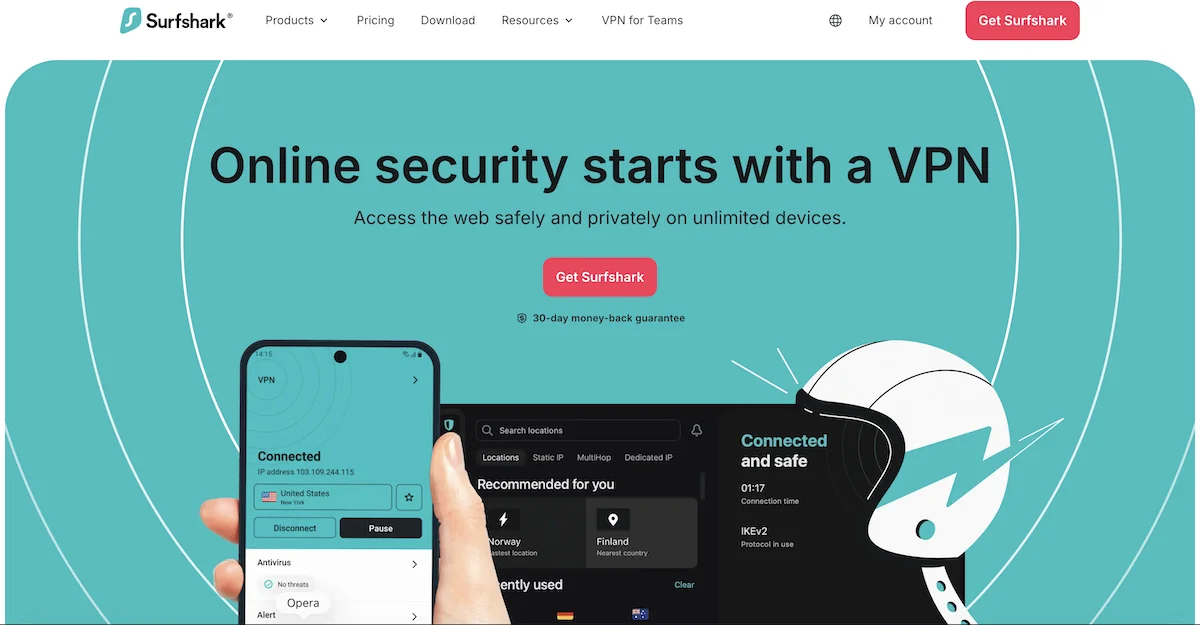
What makes Surfshark especially relevant for the BestProxyFinder audience is its Nexus server network — a software-defined mesh that powers features like the IP Rotator (auto-rotating exit IPs), MultiHop dynamic routing, and static/dedicated IP options. Combined with unlimited simultaneous connections and tools like Alternative ID and CleanWeb, Surfshark positions itself as the VPN for multi-device households, stealth-account managers, and privacy power users.
There is, however, one notable gap: Surfshark no longer supports SOCKS5 or Shadowsocks proxy servers. If you landed here looking for a SOCKS5-capable VPN, jump to the SOCKS5 section below or consider our NordVPN review instead.
Surfshark Speed and Network Performance (WireGuard Test)
We tested Surfshark on a 1 Gbps fiber line across five continents using the default WireGuard protocol. Here are the results:
| Test Server | Download | Upload | Ping | Loss vs. Baseline |
|---|---|---|---|---|
| Netherlands (nearest) | 438 Mbps | 412 Mbps | 14 ms | -4% |
| United Kingdom | 421 Mbps | 398 Mbps | 22 ms | -8% |
| United States (NYC) | 326 Mbps | 294 Mbps | 94 ms | -29% |
| Japan (Tokyo) | 187 Mbps | 162 Mbps | 241 ms | -59% |
| Australia (Sydney) | 158 Mbps | 141 Mbps | 289 ms | -66% |
Takeaway: On nearby servers, Surfshark keeps you within single-digit speed loss — indistinguishable from a direct connection for streaming, gaming, or video calls. Long-distance routes show more degradation than NordVPN's NordLynx, but speeds remain more than sufficient for 4K streaming and remote work.
IKEv2 was slightly slower than WireGuard on all routes (roughly 10–15% less throughput). OpenVPN UDP lagged significantly behind both — use it only for compatibility, not performance.
For automation workloads that need guaranteed low latency or residential-IP reliability, Surfshark's datacenter-based network can't match what you'd get from a dedicated residential proxy provider. But for general browsing, streaming, and light scraping, WireGuard performance is excellent.
Surfshark vs. Proxies: A Deep Dive
Surfshark is a VPN, not a proxy service — but it ships several features that proxy users will find interesting. Here's how they compare to dedicated proxy tools, and when each approach makes sense.
The "IP Rotator" Feature Explained (Nexus Network)
Surfshark's IP Rotator is the company's answer to rotating proxies. Once enabled in the app, it automatically cycles your VPN exit IP every 5 to 10 minutes without dropping your tunnel. The rotation happens silently at the Nexus layer, so your apps see a stable connection while your public IP changes on a schedule.
This is fundamentally different from how a rotating residential proxy works. Providers like MarsProxies or IPRoyal can rotate your IP on every single HTTP request, giving you millions of residential IPs from real consumer ISPs. Surfshark's pool is much smaller (datacenter IPs across ~100 locations), and the rotation cadence is measured in minutes, not requests.
When IP Rotator wins: Long-form browsing where you want a fresh IP every few minutes (research, price checking, social media account management).
When dedicated rotating proxies win: High-volume scraping, sneaker copping, ad verification, SERP collection, or any use case where you need hundreds of different IPs per minute.
Is the IP Rotator Good Enough for Web Scraping?
For lightweight scraping — fewer than a few hundred requests per hour against a single target — the IP Rotator can work. You'll get a new IP every 5–10 minutes, which is enough to avoid basic rate limits on non-hostile sites.
For serious scraping, it falls short in three critical ways:
- Rotation is too slow: Sites with aggressive anti-bot protection (Cloudflare, DataDome, PerimeterX) will fingerprint you long before the IP rotates.
- IPs are datacenter, not residential: Datacenter IPs are easy to detect and block. Residential proxies sourced from real ISPs look like legitimate home users.
- No per-request control: You can't force a rotation programmatically, which breaks most scraping workflows.
If you need to scale scraping beyond a hobbyist level, take a look at our best residential proxy providers or best datacenter proxy providers round-ups.
Surfshark Dedicated IPs vs. Datacenter Proxies
Surfshark offers a Dedicated IP add-on — a static personal IP address assigned exclusively to your account. It's currently available in the US, UK, Germany, Japan, Singapore, Australia, and Canada, for roughly €3.75/month on top of your base plan.
This is genuinely useful for:
- Accessing bank accounts and SaaS tools that flag shared VPN IPs
- Remote desktop and whitelisted corporate resources
- Running a personal server or self-hosted application
However, for proxy-style use cases (managing multiple accounts, running automation, ad verification), a dedicated datacenter proxy is usually the better choice. Datacenter proxy providers sell IPs by the block, include per-IP authentication, and don't wrap your traffic in a VPN tunnel that apps might not handle correctly.
Does Surfshark Offer a SOCKS5 Proxy? (Answer: No)
No. Surfshark removed SOCKS5 and Shadowsocks proxy support in 2021 and has not brought them back. Every current Surfshark plan routes traffic exclusively through its VPN tunnel — there is no raw proxy endpoint you can plug into a torrent client, a scraper, or a SOCKS5-compatible app.
Surfshark's stated reason: SOCKS5 lacks encryption. A standard SOCKS5 proxy changes your apparent IP but does nothing to protect your data in transit. By removing the feature, Surfshark ensures every connection benefits from its AES-256-GCM tunnel.
That rationale makes sense for privacy-first consumer VPN customers, but it's a dealbreaker for users who need SOCKS5 specifically — for example, to configure qBittorrent, a custom scraping script, or an automation bot that doesn't support system-wide VPN routing.
If you need SOCKS5, don't pick Surfshark. Good alternatives:
- NordVPN — includes SOCKS5 on every plan, plus a huge server network
- Premium Datacenter Proxies — purpose-built for SOCKS5 workflows
- Residential Proxies — if you need real ISP IPs with SOCKS5 endpoints
Pushing the Limits: Unlimited Device Connections
Surfshark is famous in the VPN market for one policy: unlimited simultaneous connections. You can install it on as many devices as you want — laptop, phone, tablet, smart TV, router, Fire Stick, multiple VMs — all under a single subscription, with no cap.
This naturally raises a question proxy users ask: Can I install Surfshark on 50 virtual machines and use it as a poor man's proxy network?
Technically, yes. Practically, no. Here's why:
- Same IP pool, same fingerprint: All of your VMs would be drawing from Surfshark's shared VPN IP pool. To a detection system, they look like the same provider — not 50 independent residential users.
- IP reuse: Surfshark IPs are shared among many subscribers. The IP you're assigned might already be flagged by the target site.
- No per-connection IP control: You can't force each VM onto a different IP unless you manually pick different server locations — and even then you'll collide with other users.
- Acceptable-use policy: Surfshark's ToS prohibit commercial scraping, spam, and fraud. Aggressive scaling could get your account terminated.
Where unlimited connections does shine is legitimate multi-device, multi-user households: protect every device your family owns, cover a small office, or run it on a router so every gadget on the network is encrypted by default. For proxy-farm use cases, invest in a dedicated residential proxy or datacenter proxy service instead.
Surfshark Pricing
Surfshark's pricing is split across three consumer plans, each heavily discounted on the 24-month term (with three bonus months included). Here's the current structure:
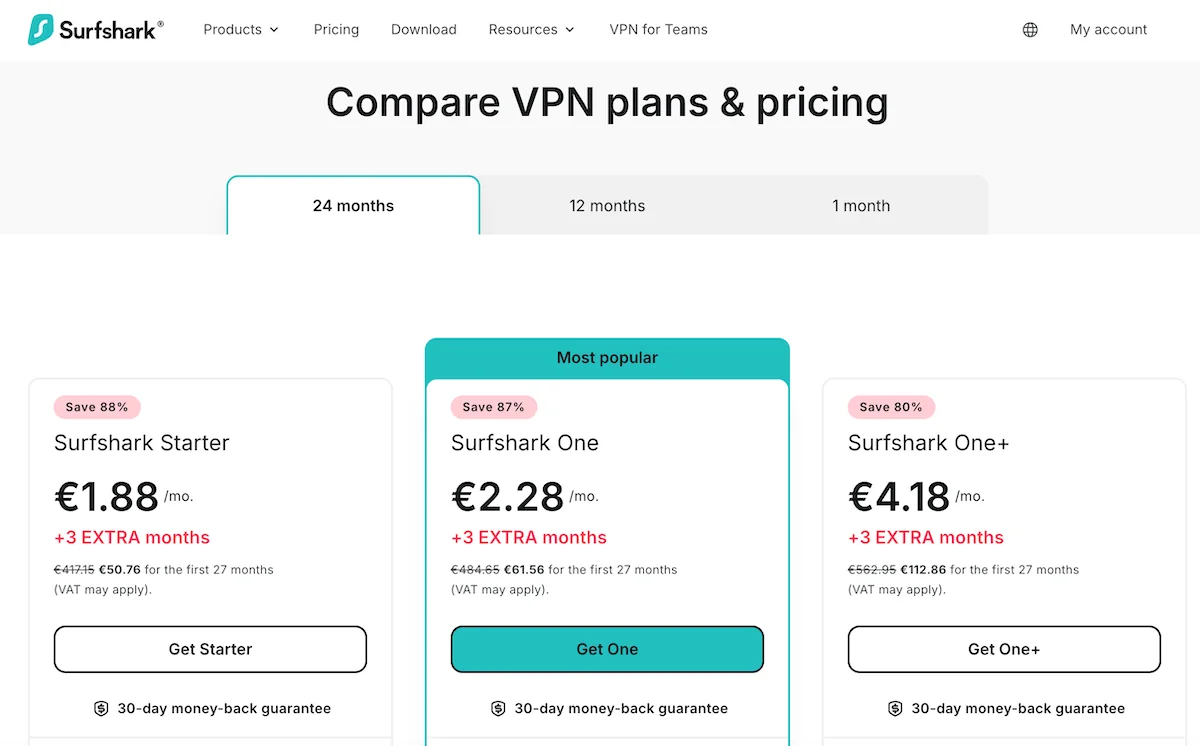
| Plan | Monthly Price (24-Month + 3 Free) | What's Included | Savings |
|---|---|---|---|
| Surfshark Starter | €1.88/mo | VPN, unlimited devices, CleanWeb, Alternative ID (basic) | 88% |
| Surfshark One | €2.28/mo | Starter + Antivirus, Alert (breach monitor), Search, full Alternative ID | 87% |
| Surfshark One+ | €4.18/mo | One + Incogni personal-data removal | 80% |
Dedicated IP add-on: Approximately €3.75/month on top of any plan. Available in the US, UK, Germany, Japan, Singapore, Australia, and Canada.
All plans include a 30-day money-back guarantee and support payment via credit card, PayPal, Google Pay, Amazon Pay, and cryptocurrency (Bitcoin, Ethereum, Ripple).
For most users, Surfshark One at €2.28/mo is the best value — you get the full VPN plus the antivirus, breach monitoring, and the complete Alternative ID feature set for only 40 cents more per month than the Starter plan. Upgrade to One+ only if you actively want Incogni's data-removal service.
Compared to dedicated proxy services, Surfshark is extraordinarily cheap — a single Surfshark subscription covers unlimited devices for less than €2.30/month, while entry-level residential proxy subscriptions typically start at $15–30/month for a few GB of traffic. The trade-off, as always, is that Surfshark can't match a dedicated proxy service for IP diversity, rotation control, or request-level targeting.
Customer Support
Surfshark provides 24/7 live chat and email support, plus a well-organized help center covering setup, billing, troubleshooting, and advanced features. Chat agents are reachable from the Surfshark website and inside the desktop and mobile apps.
In our tests, initial chat response times ranged from under a minute during off-peak hours to 5–10 minutes during peak periods. Agents are friendly and can handle common issues (connection drops, payment questions, feature toggles) quickly, though deeper technical problems sometimes get escalated to email.
The Surfshark Help Center (surfshark.com/help) contains step-by-step tutorials for every supported platform — including niche setups like manual WireGuard configuration on routers, Linux CLI, and Fire TV. If you prefer self-service, you'll usually find the answer before needing to contact support.
Community support is also active on Reddit (r/Surfshark) and the Surfshark YouTube channel, where the team regularly posts feature walkthroughs and troubleshooting videos.
Final Verdict: Surfshark or Dedicated Proxies?
Surfshark earns a 9.0/10 from a proxy expert's perspective — with the clear caveat that it's a VPN first and a proxy-adjacent tool second.
Pick Surfshark if you want:
- The best unlimited-device VPN on the market at a rock-bottom price
- Alternative ID for managing disposable accounts
- A VPN-level IP rotator for light browsing rotation
- MultiHop with custom entry/exit country pairs
- Built-in CleanWeb blocking across every app
Don't pick Surfshark if you need:
- A SOCKS5 or Shadowsocks proxy — removed in 2021, not coming back
- Rotation on every HTTP request (use residential proxies instead)
- Residential IPs from real consumer ISPs
- Programmatic per-connection IP control for scraping at scale
For most of our readers, the realistic decision is this: use Surfshark for privacy, streaming, and everyday browsing on every device you own, and pair it with a dedicated proxy service when you need serious automation or scraping capacity. The two tools complement each other — one protects your identity and connection, the other gives you the IP diversity and control that professional workflows require.
If SOCKS5 support is a must-have, jump to our NordVPN review — it rates 9.2/10 and includes SOCKS5 on every plan.
Surfshark Alternatives
Looking for other options? Here are the top-rated VPN providers:

Frequently Asked Questions
Overall Score
Expert Score
9User's Score
8.8PROS
- Unlimited simultaneous device connections
- Nexus IP Rotator cycles IP every 5–10 minutes
- Alternative ID generates disposable identities
- Deloitte-audited no-logs policy with RAM-only servers
CONS
- No SOCKS5 or Shadowsocks proxy support
- IP rotation too slow for heavy scraping
- Dedicated IP is a paid add-on
User Reviews
Based on 3 user reviews
Moved from ExpressVPN after my last renewal and I'm not going back. Unlimited devices is a game changer — I have it on my phone, laptop, a Fire Stick, my parents' router, and two VMs for work. Alternative ID is surprisingly useful for testing sign-up flows without burning my real email. The one thing I miss is SOCKS5 for qBittorrent, but I just pair Surfshark with a cheap datacenter proxy for that.
Great value for the price but the IP rotator isn't fast enough for what I needed (scraping some e-commerce pricing data). Ended up using Surfshark for personal privacy and switched to a rotating residential proxy for the scraping job. For streaming and daily browsing it's rock solid — I get around 440 Mbps on a NL server.
Been using Surfshark One for about a year. Love Alternative ID — I've generated probably 30 burner identities for various free trials and sign-ups. The dedicated IP add-on (Germany) is a lifesaver for accessing my bank, which used to flag me every time I connected through a shared VPN. MultiHop is more useful than I expected, especially the custom entry/exit country selection.
Contents
