
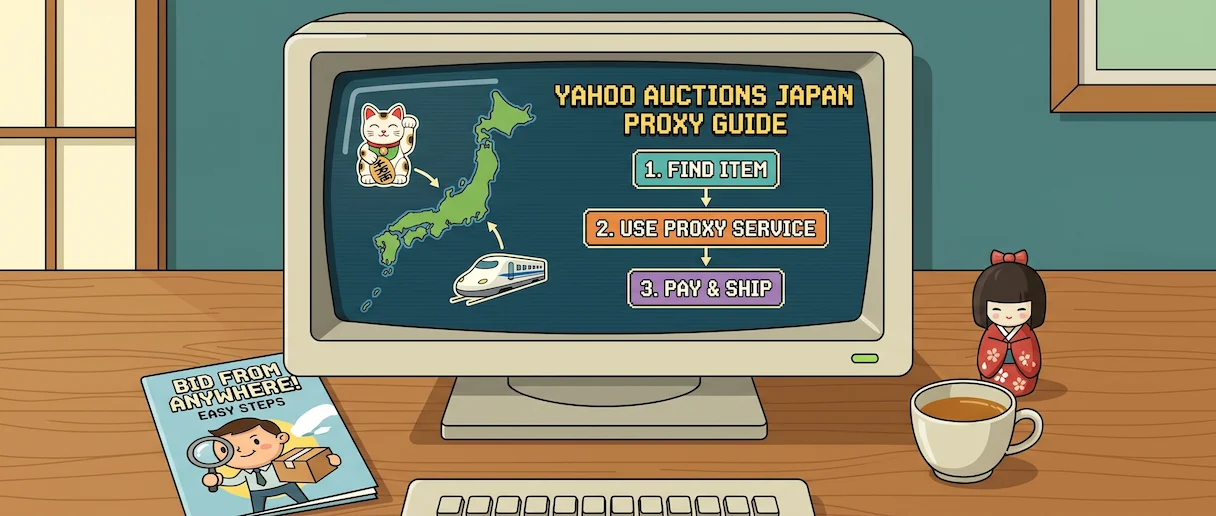
"Yahoo Auctions Japan proxy" is a confusing search because it means two completely different things. Some people want a proxy buying service — a company like Buyee that bids on items and ships them abroad. Others want a technical proxy server — a Japanese IP address that lets them browse the site, run price-tracking tools, or manage their own Japanese Yahoo account. This guide covers both, including what changed when Yahoo Japan blocked the EEA and UK in April 2022, how the January 2026 rename to "JDirectItems Auction" affects overseas buyers, and why sellers increasingly cancel orders placed through well-known proxy accounts.
TL;DR: If you just want to buy something from Yahoo Auctions Japan, use a proxy buying service — Buyee, ZenMarket, or Japan Rabbit. If you need to browse the Japanese site from the EEA/UK, scrape prices, or bid from your own Japanese account without triggering seller blocks, use a Japanese residential proxy from our best Yahoo proxy providers list. Casual EEA/UK users who only want to browse can also use a Japan VPN.
What Is a Yahoo Auctions Japan Proxy?
The phrase "Yahoo Auctions Japan proxy" has two meanings, and confusing them is the single most common mistake we see in search traffic:
1. A proxy buying service is a Japan-based company that acts on your behalf. You paste the auction URL into their site, they bid with their own Yahoo account, win the item, inspect it, consolidate it with anything else you've bought, and ship it internationally. You pay their service fee plus domestic and international shipping. You never touch Yahoo Auctions directly.
2. A technical proxy server is a Japanese IP address you route your own browser or software through. The website sees your traffic coming from Tokyo or Osaka instead of London or Berlin. You're still the one logging in, bidding, and paying — the proxy only changes where you appear to be connecting from.
Which one you need depends on what's actually stopping you. If the problem is that you don't have a Japanese address, phone number, or domestic payment method, a buying service is the right answer. If the problem is that you're in the EEA and can't even load auctions.yahoo.co.jp, or you're building a price-monitoring tool, or the sellers you want to bid on have blocked known proxy-service accounts, a technical proxy is the right answer. The rest of this guide covers both in order.
Why Yahoo Auctions Japan Is Hard to Use From Abroad in 2026
Three separate restrictions stack on top of each other, and understanding which one is blocking you determines which kind of proxy you actually need.
The EEA and UK Geoblock (April 2022)
At 00:00 UTC on April 6, 2022, Yahoo! Japan activated automated geo-blocking for the European Economic Area and the United Kingdom. The company cited difficulty complying with GDPR as the reason — rather than invest in the compliance work, it chose to stop serving the region. Since then, visitors from any EEA country (the 27 EU members plus Iceland, Liechtenstein, and Norway) or the UK see an "Yahoo! JAPAN services are not available in your region" message when they try to load the site. That includes Yahoo Auctions.
The block is purely IP-based. Yahoo Japan does not check your account, your browser language, or anything else — only where your IP resolves. That means a Japanese, US, Canadian, Australian, or most Asian IP will load the site normally. An EEA or UK IP won't.
The JDirectItems Rename (January 2026)
On January 7, 2026, Yahoo Japan rebranded its overseas-facing auction brand to JDirectItems Auction. The domestic Japanese name (ヤフオク / "Yafuoku") is unchanged, the site itself is unchanged, and the listings are unchanged — it is a brand change for the international proxy partners who surface Yahoo Auctions listings to overseas shoppers. Buyee, ZenMarket, Buy&Ship, and other big proxy services now call the feed "JDirectItems Auction" in their interfaces. If you see that name in 2026, it's the same marketplace.
The Japanese-Account Requirement
Even with a Japanese IP, Yahoo Auctions still requires a Japanese phone number, a Japanese address, and a Japanese bank account or credit card to register and bid. Foreign cards (Visa, Mastercard, Discover, PayPal) are not accepted for the Yahoo Auctions payment flow. This is the restriction that makes proxy buying services necessary for most international shoppers — the geoblock can be solved technically, but the payment and address requirement can't.
Top 3 Proxy Buying Services for Yahoo Auctions Japan (The Easy Way)
For the 90% of people who just want to buy something specific from Yahoo Auctions, a proxy buying service is the right tool. You don't need a Japanese address, a Japanese card, a VPN, or any technical setup — the service handles everything from bidding to international shipping. These are the three we recommend for 2026.
1. Buyee — The Largest, With the Widest Marketplace Access
Service fee: ¥500 per order (flat, for Yahoo Auctions, Mercari, and Rakuma) | Owned by: Tenso Co., Japan's largest package-forwarding operator | Languages: English, Chinese, Korean, more
Buyee is the default recommendation because it's the largest, the most stable, and covers more Japanese marketplaces than any competitor — Yahoo Auctions (now "JDirectItems Auction"), Yahoo Shopping, Mercari, Rakuten, Rakuma, plus an official Mercari integration that most rivals don't have. The ¥500 flat service fee per order is competitive, and the protection plans (¥0 for the Lite plan up to ¥500 for the insured-delivery plan) let you pick a risk level. Standard shipping lets you warehouse items for up to 30 days so you can consolidate multiple wins into one international parcel.
Trade-offs: Buyee is the most widely recognized proxy service, which means some Japanese sellers actively block Buyee accounts (more on that below). Optional fees — inspection, bubble wrap, consolidation, regional shipping from the seller to Buyee's warehouse — can add up if you're buying small inexpensive items. Buyee also won't cancel an order once the auction has been won.
2. ZenMarket — Free Consolidation, Strong for Multi-Seller Orders
Service fee: ¥300–¥800 per item (varies by marketplace) | Consolidation: Free "hako" packing of multiple items | Languages: 18+
ZenMarket's headline feature is free consolidation — if you win five items from five different sellers, ZenMarket will pack them all into a single international shipment at no extra cost. For shoppers buying multiple lower-value items (figures, vinyl, small electronics), that alone can save more than Buyee's fee difference. Service fees are per item rather than per order, so one-off purchases can sometimes be slightly cheaper than Buyee, and multi-item orders are often meaningfully cheaper once shipping is factored in.
Trade-offs: ZenMarket's marketplace coverage is narrower than Buyee's, and its interface isn't as polished. Some users report slower response times during peak periods. Storage is limited before free storage charges kick in.
3. Japan Rabbit — High-Touch Service for Complex or High-Value Orders
Service fee: Quoted per order | Trustpilot: 5 stars across 3,000+ reviews | Guarantee: 100% money-back if they make a mistake
Japan Rabbit is smaller than Buyee or ZenMarket, but it's the option to reach for when the order is complicated. Pre-orders from the Pokémon Center, limited drops, items that have to be bought from a physical store, auctions that require unusual communication with the seller — Japan Rabbit handles all of it, with a responsive human on the other end rather than a ticket queue. The Trustpilot score is the highest of any Japanese proxy service we've tracked.
Trade-offs: The human-touch service costs more than Buyee's flat-fee model on simple auctions. For a single ¥2,000 figure you probably don't need Japan Rabbit. For a ¥200,000 vintage watch or a pre-order from a physical Tokyo store, you do.
Why You Might Need a Technical Proxy Server (The Pro Way)
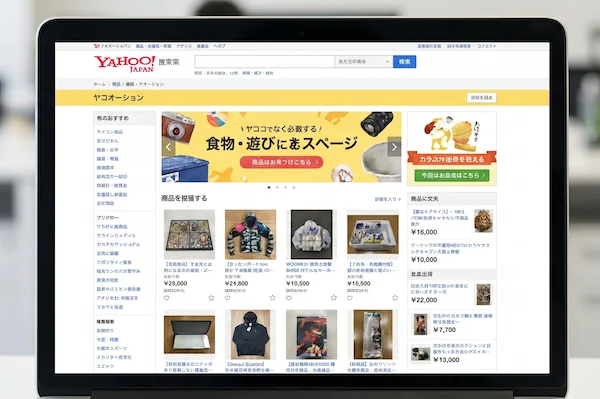
A buying service is the right tool for acquiring items. It's the wrong tool for three other jobs — and these are the jobs that require an actual Japanese IP address.
Use Case 1: Bypassing the EEA/UK Block to Browse
If you're in London, Berlin, or Amsterdam and just want to look at Yahoo Auctions — see what items are out there, what historical prices look like, whether that vintage Seiko is in circulation this week — a buying service can't help. You need to load auctions.yahoo.co.jp, and that requires a non-EEA IP. A Japanese residential proxy (or, for casual use, a Japan VPN) drops the geoblock immediately.
Use Case 2: Price Monitoring and Scraping
Dealers, resellers, and collectors who track Yahoo Auctions at scale don't bid manually — they scrape listings, log sold prices, and flag undervalued items. Yahoo Japan's anti-scraping systems are aggressive and rate-limit or block IPs that make patterns of automated requests. A rotating pool of Japanese residential proxies is the standard setup: each request comes from a different real-home IP, so no single IP accumulates enough requests to trip a rate limit. Datacenter proxies and public proxies are detected and blocked within minutes on Yahoo Japan.
Use Case 3: Managing Your Own Japanese Yahoo Account
If you have a Japanese address, phone number, and bank account — or access to them through a friend, family, or a forwarding arrangement — you can register a real Yahoo Japan account and bid directly. But the site is strict about IP consistency. Logging into a Japanese-registered account from a foreign IP will get you flagged, challenged for a phone verification, or locked out. A stable Japanese residential proxy lets you keep using your own account from abroad without triggering the anti-fraud system.
The Seller-Blocking Problem (Why Residential Matters)
This is the single most common complaint in the Yahoo Auctions international-buyer communities, and it's the strongest argument for a technical proxy over a buying service. A meaningful share of Japanese sellers now explicitly state "転売屋・代理入札お断り" (no resellers, no proxy buying services) in their listings. When a Buyee, ZenMarket, or other well-known proxy account wins the auction, the seller reviews the winning bidder, recognizes the proxy account, and cancels the sale. The buyer loses nothing financially, but they lose the item — and on rare listings, there is no second chance.
A private Japanese residential proxy gets around this because the proxy service's account isn't the bidder — your account is. The seller sees a regular Japanese buyer with a Japanese IP, a Japanese address, and a Japanese payment method. There's nothing to flag. If you bid on rare or seller-screened listings often, this is the single biggest reliability advantage residential proxies have over buying services.
How to Set Up a Japan Proxy Server for Bidding (4 Steps)
The simplest way to use a Japanese residential proxy is through a browser extension rather than the system proxy settings. That way you can keep normal traffic on your real connection and only route Yahoo Japan through the proxy. These steps assume you've bought a Japanese residential proxy from one of the providers on our top Yahoo proxy providers list and have your endpoint, port, username, and password. We'll use the MarsProxies Chrome extension in this walkthrough because it's the fastest extension to configure for Yahoo Auctions, but the same flow works with any proxy-management extension if you're on a different provider.
Step 1. Install the MarsProxies extension. Add the MarsProxies Proxy Extension from the Chrome Web Store (it also works in Edge, Brave, and Opera). Pin the icon to your toolbar so you can toggle proxies in one click. If you're using a different provider, Proxy SwitchyOmega is the generic alternative and works the same way.
Step 2. Create a new Japan profile. Open the extension, click Add profile, and name it "Yahoo Japan". Set Protocol to HTTP (or SOCKS5 if your provider recommends it), paste your Japanese proxy endpoint into Host, and enter the port number. For residential plans with geo-targeting, MarsProxies lets you specify the country directly in the endpoint string, so just confirm that your endpoint is set to Japan.
Step 3. Add authentication. Enter the username and password from your provider dashboard. Save the profile.
Step 4. Activate and verify. Click the extension icon and switch to the "Yahoo Japan" profile. Open a new tab and visit whatismyipaddress.com — the IP should resolve to Japan. Now load auctions.yahoo.co.jp. The EEA/UK block is gone, and the site loads as if you were in Tokyo.
To stop routing through the proxy, click the extension icon and switch back to Direct. System-wide setup (via Windows 11 Settings → Network & internet → Proxy) works too, but it routes everything through the Japanese IP, which slows normal browsing and can log you out of non-Japanese services.
Proxy Buying Service vs. Technical Proxy Server vs. Japan VPN
All three solve different pieces of the Yahoo Auctions Japan problem. The table below is the shortest way to decide which one fits your situation.
| Feature | Proxy Buying Service | Technical Proxy Server | Japan VPN |
|---|---|---|---|
| Primary use | Bidding and international shipping | Browsing, scraping, account management | Casual browsing and unblocking |
| Ease of use | High (they do everything) | Medium (manual setup) | High (one-click connect) |
| Japanese address needed? | No | Only if bidding directly | Only if bidding directly |
| Seller-block risk | High (famous proxy accounts) | Low (you look like a local) | Low (you look like a local) |
| Detection by Yahoo | Not applicable | Lowest (residential IPs) | Medium (datacenter IPs often flagged) |
| Encryption | None | Limited (HTTPS only) | Full system-wide tunnel |
| Cost model | Per-order fee + shipping | Subscription or GB-based | Subscription (few $/mo) |
| Best for | One-off purchases by non-residents | Scrapers, dealers, account holders abroad | EEA/UK users who only want to browse |
VPN vs. Proxy: Which Is Better for Yahoo Auctions Japan?
VPNs and proxies solve overlapping but not identical problems. The right choice depends on whether you're a casual browser or a serious bidder.
When to Use a Japan VPN
Use a VPN if you're in the EEA or UK, you just want to browse Yahoo Auctions Japan (or Yahoo Shopping, Yahoo News, or any other Yahoo Japan service), and you don't care about being detected. VPNs work at the system level, so every app on your device routes through the Japanese server — useful if you also want access to other Japan-only services. They encrypt all your traffic, which is an unambiguous win for payment pages, public Wi-Fi, and anything involving an account login. Connection is one-click through the provider's app.
The catch is that almost all mainstream VPNs (NordVPN, ExpressVPN, Surfshark, and so on) use datacenter IP ranges that are publicly documented. Yahoo Japan and every large Japanese site block or flag these ranges. You'll usually get through the geoblock, but you may see CAPTCHAs, you may be rate-limited, and logged-in actions (bidding, checkout) are more likely to be challenged. A residential VPN avoids most of these issues because its IPs belong to real ISPs.
When to Use a Japan Proxy
Use a proxy if you're bidding from your own Japanese account, scraping, or you've already had a VPN flagged by Yahoo. Residential proxies give you the cleanest possible IP — one that belongs to a real Japanese household ISP like NTT, KDDI, or SoftBank — which is essentially invisible to Yahoo's anti-fraud systems. They also give you precise control (specific prefecture, specific city), rotation, and session persistence that no VPN offers.
The trade-off is configuration. A proxy has to be set per-browser or per-app, doesn't encrypt anything outside what HTTPS already covers, and usually costs more per month than a consumer VPN. For serious bidders and automated tools, the reliability is worth it. For someone who just wants to check prices once a week, a VPN is overkill-free and easier.
Free Proxies vs. Paid Proxies for Yahoo Auctions Japan
Free public Japanese proxy lists exist. None of them are usable for Yahoo Auctions in 2026, and we recommend against them for three reasons.
They don't work. Yahoo Japan blocks public proxy ranges aggressively. Free proxies typically load the EEA/UK message or a CAPTCHA loop rather than the site. A paid residential proxy succeeds in seconds.
They're not private. Whoever operates a free public proxy sees every unencrypted request that passes through it — including login forms on non-HTTPS pages and session cookies. Several well-known free proxy lists have been traced to operators who sold the traffic data or injected ads.
They're unstable. A free proxy you tested at 10am may be offline at noon. For bidding, where you may need a stable connection for a last-minute auction snipe, free proxies are a reliability disaster.
The Bottom Line: Which Yahoo Auctions Japan Proxy Should You Use in 2026?
Start from what you're actually trying to do, not from what the SEO results tell you to buy.
If you live in the EEA or UK and just want to buy one item: a proxy buying service (Buyee for most things, ZenMarket if you're ordering multiple items from different sellers, Japan Rabbit if it's high-value or complicated) is the shortest path. You don't need a VPN or a technical proxy — the buying service handles the geoblock and the payment issues for you.
If you live in the EEA or UK and want to browse: a Japan VPN solves the geoblock in one click. A residential-IP VPN like CometVPN is more reliable than mainstream datacenter VPNs because its IPs aren't on Yahoo's blocklist.
If you're a dealer, reseller, or scraper: rotating Japanese residential proxies from a top provider are the only viable option. Free and datacenter proxies are blocked within minutes. See our best Yahoo proxy providers for current benchmarks.
If sellers keep cancelling your Buyee orders: you've hit the proxy-service block. The fix is to bid from your own Japanese account through a private Japanese residential proxy, so the seller sees a local buyer rather than a well-known proxy service. This is the single biggest reason advanced buyers move from buying services to technical proxies.
Whichever route fits, the 2026 restrictions — the EEA/UK geoblock, the JDirectItems rename, the Japanese-account requirement — don't actually limit what you can buy. They just determine which tool you use to get there.