The 10 Best FIFA Proxies & EA Sports FC Servers for Low Ping in 2026

EA Sports FC 26 — the title that replaced the FIFA franchise after the 2023 EA-FIFA split — launched on September 26, 2025 and is the current season as of 2026. It runs on Windows, PlayStation 4 and 5, Xbox One, Xbox Series X|S, Nintendo Switch, Switch 2, and Amazon Luna, with FIFA 23 being the last game that carried the FIFA brand. Most players still call any solution a "FIFA proxy" out of habit, and that's the term we'll use alongside "EA FC proxy" throughout this page.
A good FIFA proxy server does three things: it lets you pick which EA Game Data Center you connect to (across roughly 30 cities worldwide), it gives you a clean residential IP that EA's anti-cheat doesn't flag for Transfer Market activity, and it stabilizes your route to the EA App if your ISP is throttling or geo-blocking the launcher. Whether you're trying to lower your Champions Weekend ping, fix a "proxy EA" connection error in the launcher, or run a 24/7 autobuyer, the right provider is what makes the difference.
This guide covers the ten proxy and VPN providers that perform best on EA FC 26 in 2026, the ones we recommend specifically for FUT sniping and low-ping competitive play, and the proxy server location that matches each EA Game Data Center.
Best EA FC 26 Proxy Providers of 2026 – Quick Summary
1. IPRoyal - Best overall EA FC 26 proxy, with low-ping residential exits in every EA region
2. MarsProxies - Sticky residential sessions ideal for FUT sniping bots and autobuyers
3. CometVPN - Best VPN for low-latency FC 26 ranked play and console hotspots
4. Oxylabs- Enterprise-grade residential pool with city-level targeting for pro FUT traders
5. Bright Data - Massive IP pool for high-volume EA FC market data scraping
6. DataImpulse – Pay-per-GB residential proxies with non-expiring traffic for casual FUT players
7. Proxy-Seller – Affordable private proxies for steady EA FC 26 use
8. Rayobyte – Mix of datacenter and residential for hybrid sniping setups
9. TrustedProxies – Reliable choice for EA FC content creators and streamers
10. ProxyRack – Competitively priced residential proxies for budget setups
How to Use an EA FC Proxy in 2026
Setting up a proxy for EA Sports FC 26 is straightforward, but the configuration depends on how you play. On PC, you can route a single browser (the FUT Web App) through a proxy using a Chrome or Firefox extension, or route the whole machine through Windows network settings. On PlayStation 5, Xbox Series X|S, and Nintendo Switch 2, you set the proxy at the router level — the console itself doesn't expose proxy fields in its menus, so the IP swap has to happen on the network you connect to.
For ranked Seasons and Ultimate Team Champions, the goal is to land on the closest, healthiest EA Game Data Center. For FUT sniping or running an autobuyer, the goal is the opposite — a stable residential IP that doesn't look like a datacenter, even if the location isn't the lowest-ping option. The right setup depends on which matters more in your session, and the table further down the page maps each region to the proxy locations that match.
Why You Need a Dedicated FIFA Proxy Server for EA Sports FC 26
The criteria for a FIFA proxy server in 2026 are stricter than for general browsing. Latency dominates everything — even 30 ms of added round-trip time costs you reactions on a Pro Clubs sprint or a last-second FUT snipe. Bandwidth matters less than you might think (FC 26 is a thin-pipe game by modern standards), but stability and IP reputation matter a lot.
For ranked play and Pro Clubs, residential proxies on a real ISP route to your nearest EA data center are the right call. For FUT sniping and autobuyers, residential is also the safer choice — datacenter IPs are easier for EA's behavioral anti-cheat to lump together with bot farms. Avoid free public proxies entirely; FC 26 sees them within minutes and the soft-ban cooldown is now 24-48 hours instead of the old few-hour pause.
Even though "EA Sports FC" is the official name today, "FIFA proxy" remains the dominant search term — and the underlying need is the same: a fast, location-targeted IP that EA's servers treat like a normal home connection.
Troubleshooting EA App & EA Servers Connection Errors with a Proxy
"Proxy EA" is one of the most common 2026 searches from players who keep hitting Connection Error, Unable to connect to EA Servers, or "the EA App can't reach the FIFA Ultimate Team servers" messages. These almost never come from your hardware — they're the result of regional restrictions, ISP-level peering problems, or a soft IP flag on your home address.
If the EA App refuses to launch FC 26, the FUT Web App throws a generic error, or matchmaking takes minutes to find a lobby, a proxy EA recognizes as a clean residential connection can usually fix all three problems. Routing the launcher through a residential exit in Frankfurt, Dublin, or Ashburn re-establishes a direct path to the data center, bypasses any ISP-level block on the EA login domain, and replaces a flagged IP with one EA treats as a normal household.
The Two Common "Connection Error" Scenarios
Regional restriction: some ISPs and networks (corporate, university, or country-level) block the EA App or specific EA endpoints. A residential proxy in a country where EA is unrestricted unblocks the launcher cleanly.
Soft IP flag: if you previously ran a sniping bot on the same IP, or an account on your network was banned, EA may shadow-restrict the address. Switching to a fresh residential IP with sticky sessions on MarsProxies or IPRoyal is the fastest way to confirm whether it's an IP problem and to clear it if so.
For one-click console troubleshooting (PlayStation 5, Xbox Series X|S, Switch 2), a router-level VPN like CometVPN with WireGuard handles the same scenarios without per-device configuration — useful if multiple players in the household share the same EA App connection issue.
Best Proxies for EA FC 26 Autobuyers & FUT Sniping
The single highest-intent reason people search for "EA FC proxy" in 2026 isn't online matches — it's the FUT Transfer Market. Sniping bots and autobuyers like FUT Simple Trader, FUTEarn, FutBotManager, and Futinator automate the loop of refreshing search filters, buying undervalued cards, and re-listing them at market price. A well-tuned bot can clear 3–8 million coins a month — enough to fund a competitive Champions team without spending real money.
EA tolerates manual sniping because it's how the price-range system was designed to work, but rapid automated activity from a single IP triggers soft bans (typically a 24-hour transfer-market lockout). Repeated soft bans escalate to permanent FUT bans, and EA's anti-cheat in 2026 increasingly correlates IP, device fingerprint, and behavioral cadence to decide whether to flag an account. This is where the choice of proxy directly determines how long your bot survives.
Datacenter vs. Residential for Autobuyers
Datacenter proxies are the fastest option — sub-20 ms round trips to EA's servers, near-unlimited bandwidth, and very low cost per GB. The trade-off is detectability: EA maintains an internal blocklist of major datacenter ASNs (AWS, Google Cloud, Hetzner, OVH), so an autobuyer sitting on a datacenter IP for hours will eventually trip a behavioral filter, even if individual requests look fine. They are best for short, manual sniping bursts where you stay at the keyboard.
Residential proxies use real home ISP addresses (Comcast, Deutsche Telekom, BT, Orange) that look identical to a regular FUT player's connection. Latency is slightly higher (40–80 ms), but the IP reputation issue disappears. Sticky sessions of 10 minutes to several hours let an autobuyer maintain a single identity for natural-looking trading patterns. MarsProxies and IPRoyal are the two providers we see most often in actual bot setups, with sticky sessions configurable from 1 second to 7 days and HTTP/HTTPS or SOCKS5 endpoints.
The pragmatic answer for serious sniping is a hybrid: residential proxies for the autobuyer (24/7 farming under a stable ISP IP), and a datacenter proxy on a separate browser profile for manual snipes during high-volume drop windows like Team of the Season releases.
Best Proxy Locations by EA FC Game Data Center
EA Sports FC 26 routes you to a Game Data Center based on the IP address it sees. Picking a proxy near the center that hosts your target opponents — or, for FUT sniping, the center where your trading region's market is busiest — is the single biggest controllable factor for ping and matchmaking quality.
The most-requested setups in 2026 are high-speed FIFA proxy server locations in Frankfurt and London for the lowest possible ping, plus Ashburn (Virginia) and Dublin for North-American and EU-market sniping respectively. Below is the full 2026 mapping of EA Game Data Centers to the proxy exit locations that consistently land on them.
| Region / Use case | EA Game Data Center | Best proxy exit |
|---|---|---|
| Western Europe / FUT EU sniping | Frankfurt, Dublin | Germany (Frankfurt), Ireland (Dublin) |
| Northern & Eastern Europe | Helsinki, Warsaw, London | Finland, Poland, UK |
| Southern Europe | Madrid, Milan, Paris, Zurich | Spain, Italy, France, Switzerland |
| US East / FUT NA sniping | Ashburn (Virginia), Miami | Virginia, Florida residential |
| US Central | Council Bluffs (Iowa), Dallas, Des Moines | Iowa, Texas residential |
| US West | Los Angeles, Portland | California, Oregon residential |
| Latin America | São Paulo, Buenos Aires, Mexico City, Lima, Santiago | Brazil, Argentina, Mexico, Peru, Chile |
| East Asia | Tokyo, Hong Kong, Singapore | Japan, Hong Kong SAR, Singapore |
| Middle East & South Asia | Dubai, Manama, Mumbai, Tel Aviv | UAE, Bahrain, India, Israel |
| Oceania | Sydney | Australia (Sydney/Melbourne) |
| Africa | Johannesburg, Lagos | South Africa, Nigeria |
For FUT sniping, the location that matters is the market region, not your physical location — most pros snipe on the EU market because volume is highest there, regardless of where they live. MarsProxies, IPRoyal, and Oxylabs all support city-level targeting at no extra cost, so picking a Frankfurt or Dublin exit is a one-line change in the endpoint string.
Full EA FC 26 Proxy Provider Reviews
To save you time going through dozens of reviews, we gathered the ten best FIFA proxy service providers in one place. We tested their connection speed, uptime, and online privacy features to ensure each provides sufficient quality to enhance your FIFA experience.

- Pricing: You won't have to shake your wallet, as this service offers residential proxies for $7/GB, but the price goes down the more GB you order. Gamers will appreciate ISP and datacenter proxies, as they have unlimited bandwidth and start at $2.4/month and $1.39/month, respectively.
IPRoyal is an outstanding proxy service provider that has a lot to offer to FIFA gamers. It has received an award for being the fastest proxy service provider in the industry, so you can be sure you'll get excellent connection speed and no latency issues.
What makes it stand out is a 99.9% uptime and an 8+ million IP address pool, of which 2 million are residentials! Their worldwide server network covers all major regions, so you can easily access all 26 FIFA servers. IPRoyal has armed its proxies with numerous additional features, like a proxy tester, web browser extensions, and state and city-level targeting, all at no additional cost.
✓ Features
- Excellent uptime
- 2 million residential IPs
- Proxy tester
- Firefox and Chrome browser extensions
- Worldwide server spread
- 24/7 customer support
- Flexible payment plans
✗ Negatives
- Does not offer a free trial

- Pricing: Starts at $3.00/GB for residential proxies and $0.80/proxy for datacenter proxies.
MarsProxies is a UK-based proxy service provider offering a few attractive features for casual gamers. Firstly, it's extraordinarily easy to use. Most gamers simply want to protect their gaming accounts, bypass geographical restrictions, and access gaming servers in a different region.
MarsProxies offer exactly that. They are affordable, won't overburden you with advanced features, easily bypass geo-blocks, and have unlimited bandwidth. Keep in mind that the servers are available only in US and EU locations, but if you want to play FIFA there (and those are the most popular regions), then you can get a cheap and reliable service.
✓ Features
- Very easy to use
- Competitive pricing
- Bypasses geo-blocks
- Optimized for casual gaming
- Supports SOCKS5 protocol
✗ Negatives
- Insufficient documentation
- IP address pool could be bigger

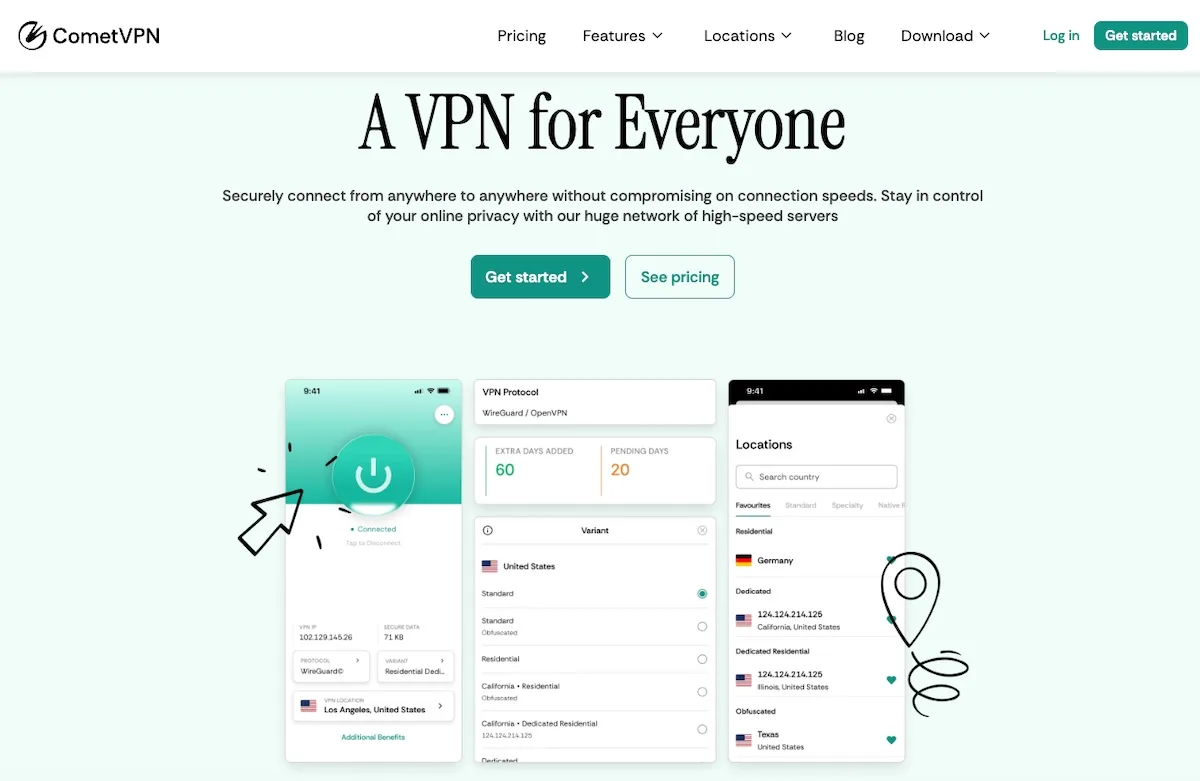
- Pricing: CometVPN starts at $1.89/mo on the two-year plan with a 30-day money-back guarantee. The Native Residential VPN add-on is $1/GB.
FIFA matchmaking is heavily influenced by ping and ISP routing, so a fast, low-latency VPN can make a measurable difference in connection quality. CometVPN's WireGuard implementation gives you a tunneled connection that often outperforms a direct ISP route once peering is poor — useful when EA's matchmaking servers are slow to find a stable opponent in your region.
For FIFA in 2026, CometVPN's most relevant features are AES-256 encryption (which prevents your ISP from selectively throttling gaming traffic), the kill switch (which protects your account if the tunnel drops mid-match), and the 50+ country server list (so you can switch regions if EA Servers in your area are congested). Multi-device support across Windows, macOS, iOS, Android, and Linux means you can run it on PC, console-bridged routers, and mobile companion apps without paying for extra licenses.
Where CometVPN really stands out for FIFA is the Native Residential VPN tier. Real ISP IP addresses look identical to a normal home connection, so EA's anti-cheat and shop-fraud systems don't flag your account the way they sometimes do with datacenter VPN ranges — a problem that bites players using mainstream consumer VPNs more often than the providers admit.
✓ Features
- WireGuard protocol for low-latency connections
- Servers in 50+ countries
- AES-256 encryption with verified no-logs policy
- Native Residential VPN with real ISP IPs
- Kill switch and obfuscated servers
- Multi-device support (up to 5 devices)
- Based in Panama — outside 14 Eyes
✗ Negatives
- Smaller server list than top-tier mainstream VPNs
- Native Residential billed per-GB on top of the base plan

- Pricing: You can order Bright Data's pay-per-use residential proxies for $15.00/GB, but the price decreases to $9.45/GB for the Advanced+ plan.
Only a few proxy service providers could compete with Bright Data's colossal 72 million residential IP address pool. Yes, it's somewhat of an overkill for a FIFA gamer. On the other hand, if you're using proxies outside of gaming, Bright Data provides a professional service armed with advanced features.
They offer a Web Unlocker feature that excels at bypassing online geo-blocks, avoids captchas, and provides access even to the most restricted regions. This guarantees you can use Bright Data to access worldwide FIFA servers wherever they are. Although the service is primarily business-oriented, their outstanding proxy performance makes them a viable choice for FIFA gamers.
✓ Features
- 72 million residential IP address pool
- Web Unlocker feature
- Worldwide server spread
- Provides access to all FIFA servers
- Unlimited bandwidth
- No ping and speed issues
- Informative website
✗ Negatives
- Business-oriented proxy service provider

- Pricing: Oxylabs pay-as-you-go residential proxies start from $15/GB, mobile proxies from $250/month, and a dedicated datacenter proxies cost $180/month.
Oxylabs is one of the highest-rated proxy service providers because they continuously upgrade their services with new features. You will find seven proxy types, a web unblocker, proxy rotator, Chrome web extension, and a proxy manager for Androids.
This service is suited for FIFA professionals looking to increase their performance by managing several gaming accounts on different servers or collecting FIFA-related web data. If you want to compare different teams' performance and player reviews or go wild with statistical data, then Oxylabs will get the job done better than any other service. Their data scraping methods are second to none, and you will get four API types to supplement that!
✓ Features
- Seven proxy types
- Four API types
- Amazing web scraping capabilities
- Outstanding online guides
- Organizes annual web scraping conference
- Large residential IP pool
✗ Negatives
- Requires advanced proxy know-how
- Too expensive for casual gaming sessions

DataImpulse
Competitive pricing with extensive IP coverage
- Pricing: Starting from $1/GB for residential proxies; $0.50/GB for datacenter proxies
DataImpulse stands out as a modern proxy provider with an exceptionally large IP pool and competitive pricing. With over 90 million ethically sourced residential IPs across 195+ countries, they offer flexible pay-as-you-go pricing with non-expiring traffic.
The service provides excellent support for various proxy types including residential, datacenter, mobile, and premium residential proxies. Their straightforward pricing model and responsive customer support make them an attractive option for both small and enterprise-scale proxy needs.
✓ Features
- 90M+ ethically sourced residential IPs
- Proxies in 195+ worldwide locations
- HTTP(S) and SOCKS5 protocol support
- Rotating and sticky sessions (up to 120 minutes)
- Pay-as-you-go pricing with non-expiring traffic
- 1-second average response time
✗ Negatives
- Relatively new provider (founded 2022)
- No free trial available

Proxy-Seller
Competitive pricing with extensive IP coverage
- Pricing: Flexible pricing based on quantity, duration, and location selection
Proxy-Seller offers a solid solution for businesses seeking flexible proxy services with excellent geographic coverage. Their datacenter and mobile proxy offerings are complemented by the rare availability of IPv6 proxies in multiple countries.
The provider's strength lies in its flexible rental system and reliable 24/7 support team. Whether you need short-term proxy access or longer commitments, Proxy-Seller adapts to your requirements with transparent pricing and no minimum purchase requirements.
✓ Features
- Support for HTTP(S) and SOCKS5 protocols
- Username/password and IP authentication methods
- Flexible rental durations (week, bi-weekly, monthly, etc.)
- No minimum proxy purchase requirement
- 24/7 live chat and ticket support
- IPv6 proxies in 8 countries
✗ Negatives
- Could use more mobile proxy locations
- Dashboard could be more modern

- Pricing: Rayobyte residential proxies cost $15/GB for 1-15 GB of bandwidth, but you can get them as cheap as $7.00 if you order more than 50 GB of traffic.
Rayobyte offers a good variety of proxy types, providing datacenter, residential, ISP (static and rotating), and mobile proxies. It also has a scraping robot, which is helpful when collecting and organizing vast amounts of FIFA data.
What's exceptional about Rayobyte is that their 300,000 datacenter IPs are spread out across 20,000 C-class subnets. It significantly reduces the chances of being identified as a proxy user and is beneficial for accessing worldwide FIFA servers anonymously. They recently added residential proxies to the product list, but they look promising with SOCKS5 protocol support and decent connection speed!
✓ Features
- 20,000 C-class subnets
- Avoids online detection
- Continuously expanding service
- SOCKS5 protocol support
- Almost no downtime
✗ Negatives
- Small residential IP address pool
- Unresponsive customer support
- Located in a Five Eyes country

- Pricing: TrustedProxies use virtual-dedicated servers that cost $3.9/proxy, and regular international dedicated servers go for $9.9/proxy.
Proxy services have numerous use cases, and SEO content optimization is one of them. What does it have to do with FIFA? Professional FIFA players write guides and tutorials and share their achievements online. Some write blogs for other FIFA players, and TrustedProxies can help your content stand out.
TrustedProxies helps you extract local and global keywords to stuff in your content and outrank the competition. Their services are easily integrated with other software and highly customizable. FIFA content creators will find it both affordable and effective.
✓ Features
- Suited for SEO content optimization
- International proxy servers
- Offers a free trial and money-back guarantee
- Live chat customer support
- Various payment methods
✗ Negatives
- Metered bandwidth
- Very specific proxy use case

- Pricing: ProxyRack residential proxies cost $5.00 for 10 GB of traffic, but the cost decreases the more traffic you order.
ProxyRack has diversified its services to fit everybody's needs. Whether you're a casual FIFA player, a professional, or a FIFA blogger, they will have something to offer for everybody. It offers unmetered plans with no cap on the bandwidth and lets you choose between rotating and sticky IPs on most plans.
The provider specializes in US proxies, but since it's one of the most popular FIFA regions, they are well-suited for gaming in that region. Lastly, it's an affordable service with SOCKS5 protocol support, so don't hesitate to grab it if you primarily play in the United States.
✓ Features
- SOCKS5 protocol support
- Unmetered plans
- Unlimited bandwidth
- Affordable prices
- Zero latency issues
✗ Negatives
- Best for gaming in US-only
- Lacks advanced features
Can I Use a Free Proxy for EA FC 26?
Free EA FC proxies are a poor fit in 2026. Public proxy lists run on a small set of free hosting platforms whose IP ranges EA flags aggressively — most attempts either time out, drop you mid-match, or bounce you straight to a 24-hour soft ban on the FUT Web App. The quality issues alone (shared bandwidth, unstable routes) make competitive ranked play unplayable.
The privacy issues are worse. Free proxies typically log every unencrypted request that passes through, and several large public lists have been traced to operators harvesting FUT login credentials and 2FA prompts. For a few dollars a month, a paid residential proxy avoids all of these failure modes — it gives you real ISP exit IPs, stable sessions, and dedicated bandwidth that a competitive ranked match or a 24/7 autobuyer can actually rely on.
How Fast Does My Internet Connection Need to Be for EA FC 26?
EA Sports FC 26 has a low minimum bar — a 512 Kbps connection technically qualifies — but expecting that to deliver a stable Champions Weekend is unrealistic. The realistic floor is 15–25 Mbps down and 5 Mbps up, with a stable round-trip ping under 60 ms to your target EA Game Data Center. For tournament-level FUT play and Pro Clubs, 50 Mbps and a wired connection are the de-facto standard.
FC 26 still scales the in-match tick rate down to the slowest player in the lobby, so your individual bandwidth only matters up to a point — what matters more is jitter and packet loss. If your ping is bouncing between 30 ms and 200 ms, a proxy in a stable residential network can often smooth that out by giving you a deterministic path to EA's data center, even when your ISP's default routing is congested.
Conclusion
EA Sports FC 26 has replaced the FIFA name, but the proxy use cases haven't changed — they've just sharpened. Casual ranked players still benefit from picking the right EA Game Data Center; the new high-intent use case in 2026 is FUT sniping and autobuyers, where the choice of residential vs. datacenter proxy is the single biggest factor in how long an account survives. Match the right provider to the right job — residential for sniping and bots, low-ping VPN or datacenter for ranked sprints — and you'll get measurably better matchmaking, fewer soft bans, and a smoother time on the Transfer Market.