Top 10 Best PUBG Mobile Proxy Providers 2026

The gaming world is fast-paced, and technology in this sphere is top-tier, paving the way for intense competition. Despite new games getting released occasionally, PlayerUnknown’s Battlegrounds (PUBG) has managed to stay above most since its release in 2017.
Arguably, the premise is PUBG’s most appealing aspect - players parachute onto an island and fight to be the last person or team standing. With realistic graphics, immersive gameplay, and a massive open-world map, PUBG provides players with an intense and thrilling gaming experience.
That said, you may find yourself in a situation where your ISP’s performance is below par, causing lags. Or you may want to access PUBG in a region where it is blocked (Governments such as India have banned the game).
What can you do in such cases? You simply use proxies. In this article, we’ll review the top 10 PUBG Mobile proxy providers, which have been chosen based on their features, pricing, and user reviews.
Whether you’re a casual player or a pro, using a proxy provider can significantly improve your PUBG Mobile experience, and we’re here to help you find the best one for you.
Top 10 Best PUBG Mobile Proxy Providers to Buy In 2026 - Quick Summary
1. IPRoyal - Best overall PUBG Mobile proxy provider
2. MarsProxies - Optimized for low-latency gaming sessions
3. CometVPN - Fast residential VPN with low ping for gaming
4. Bright Data - Premium proxy network for competitive gaming
5. Oxylabs - Biggest proxy pool, making it ideal for large-scale tasks
6. ProxyRack - Good rotating residential proxy servers
7. Proxy-Cheap - Advanced mobile proxies
8. Proxy-Seller - High-speed and affordable datacenter proxy servers
9. Rayobyte - Powerful datacenter proxies
10. Shifter - Static and rotating IPs in various locations
How Do PUBG Servers Play a Crucial Role?
PUBG Mobile servers play an essential role in the gaming experience. They handle matchmaking, synchronize game data across all connected players, and enforce in-game rules and anti-cheat systems. The quality of your connection to these servers directly determines your in-game latency, which is measured in milliseconds (ms) and commonly referred to as "ping."
For competitive PUBG Mobile players, low ping is everything. A connection with 20–50 ms ping gives you a significant advantage over opponents playing at 100+ ms, because your shots register faster and your movement updates reach the server before theirs. This is why many serious players use proxies or VPN services to connect through servers that are geographically closer to the PUBG game server they are matched on, reducing the number of network hops and cutting latency.
Beyond latency, PUBG servers handle real-time data using UDP (User Datagram Protocol) rather than TCP, because UDP prioritizes speed over reliability — essential for fast-paced battle royale gameplay. This means the proxy or VPN you choose must support SOCKS5 with UDP forwarding to be effective for gaming. Standard HTTP proxies, which only handle TCP traffic, will not work properly for PUBG Mobile and can cause severe rubber-banding and desynchronization issues.
How Many Servers Does PUBG Have?
PUBG Mobile operates a massive global server infrastructure with dedicated clusters in North America, Europe, Asia, the Middle East, South America, and Southeast Asia. While the exact total number of servers is not publicly disclosed, the game supports region-specific matchmaking across these zones to minimize latency for local players. Popular server regions like Singapore, Korea, and Japan are heavily used by Asian players due to their consistently low ping times, often under 30 ms for nearby connections.
Choosing the right server region is critical for maintaining low latency. For example, a player in India connecting to the Singapore server can typically expect 40–70 ms ping, whereas connecting to the North America server could push that to 150–250 ms. This is where a quality proxy provider becomes essential — by routing your traffic through a node in Singapore, Seoul, or Tokyo, you can significantly reduce your ping to Asian PUBG servers even if your physical ISP routing is suboptimal. Many players in regions affected by ISP throttling also use proxies to bypass bandwidth limitations that their internet providers impose on gaming traffic during peak hours.
Full Providers Review
We searched the web for the best PUBG Mobile proxies so you would not have to. Below is the list we came up with, starting with one of the best options available.

- Pricing: Pricing starts at $7/GB for the residential proxies with great bulk discounts, $1.80 per static residential proxy, $1.80 per datacenter IP, $1 per sneaker proxy server, and finally, $90/month for the mobile proxy service.
Kicking off our list is IPRoyal, a company that has been steadily gaining popularity in the gaming world. As a premium proxy provider, it’s dedicated to offering reliable servers that cater to the specific needs of PUBG gaming enthusiasts. It’s a perfect solution for gamers looking to enhance their PUBG experience.
IPRoyal’s network comprises over 8 million IPs in more than 195 locations worldwide. It offers residential, datacenter, ISP, and over 1 million mobile proxy servers. With such stats, the provider ensures gamers enjoy a seamless PUBG experience without IP bans or geographical limitations.
On top of that, the customer support system is top-notch, and the agents are available 24/7 to cater to any queries you may have. Certain plans come with unlimited bandwidth, and others with non-expiring traffic, which is a plus. Finally, IPRoyal boasts competitive pricing and flexible plans, catering to all PlayerUnknown’s Battlegrounds mobile players’ levels.
✓ Features
- 8+ million IPs in 195 locations worldwide
- High-performance proxies
- Competitive pricing and flexible plans
- User-friendly dashboard
- Dual authentication
- HTTP(S) and SOCKS5 support
- Unlimited bandwidth (mobile, datacenter, and ISP proxy plans)
- Non-expiring traffic (residential plans)
✗ Negatives
- Lacks phone support

- Pricing: Residential proxies start at $3 per GB and ISP at $2 per proxy. The datacenter proxy service costs $0.80 per proxy for the daily plan and $1.40 for the monthly plan.
MarsProxies may seem different from the other companies on our list since it’s tailored to sneaker copping. However, its impressive features also make it suitable for PUBG Mobile players.
MarsProxies has a decent IP pool of 550,000 clean IP addresses in 200 locations worldwide, helping users bypass geo-restrictions and avoid IP bans from anywhere. The best part about MarsProxies is the ultra-fast speeds, 99.9% uptime, and unlimited bandwidth that ensure fast and smooth connections.
This provider’s dashboard is seamless and easy to use, allowing users to configure and monitor their proxy settings with minimal effort. The packages comprise residential, datacenter, and ISP proxy servers that are competitively priced. They come with a 24-hour money-back guarantee, which is a plus.
✓ Features
- 550,000+ clean IPs in over 200 locations
- High-speed servers
- User-friendly dashboard
- Responsive customer support
- Affordable plans
- Dual authentication
- SOCKS5 support
- Good session control
- Unlimited bandwidth
✗ Negatives
- Average-size IP pool

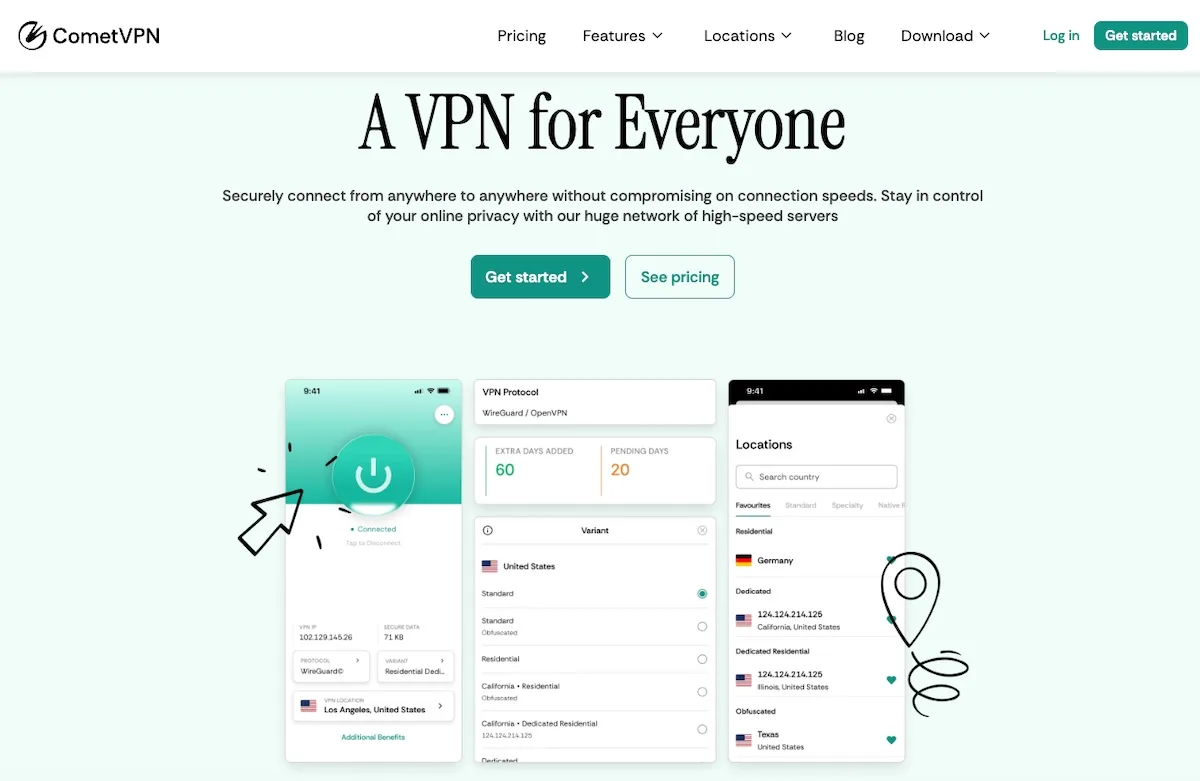
- Pricing: CometVPN offers affordable plans with access to over 32 million residential IPs across multiple countries, with flexible subscription options starting from $1.89/month.
CometVPN is a strong option for PUBG Mobile players who need a fast, reliable connection with residential IP addresses. With over 32 million IPs available and targeting at the country, state, and city level, you can connect to a game server in a region that offers you the lowest possible ping and bypass geo-restrictions in areas where PUBG Mobile is blocked.
The service is built for speed, offering low-latency connections that are critical for competitive gaming. CometVPN supports SOCKS5 with UDP forwarding, which means your in-game data travels efficiently without the overhead that standard HTTP proxies introduce. This translates directly into smoother gameplay, fewer lag spikes, and lower packet loss during intense firefights.
CometVPN also supports multiple devices simultaneously, so you can protect your phone, tablet, and emulator setup at the same time. With dedicated IP options, 24/7 customer support, and a user-friendly interface, it is well-suited for both casual players and those running multiple PUBG Mobile accounts for competitive practice.
✓ Features
- Over 32 million residential IPs
- Country, state, and city-level targeting
- SOCKS5 with UDP support for gaming
- Low-latency connections ideal for PUBG
- Multiple device support
- Dedicated IP options
- 24/7 customer support
- User-friendly interface
✗ Negatives
- Limited datacenter proxy options
- No free trial available

- Pricing: The starter package is $500/month for all proxies. The pay-as-you-go plans start from $15 per GB for residential proxies, $0.11/GB + $0.80/IP for the datacenter proxy servers, $15/GB + $0.50/IP for the ISP proxy service, and $40 per GB for mobile proxy servers.
Coming in next is Bright Data, formerly known as Luminati. It is a premium provider hailed as one of the top proxy providers due to its extensive network of over 72 million IP addresses across the globe.
Bright Data has diverse proxy packages that include residential, mobile, and datacenter proxies, catering to a wide range of user needs. It provides high-speed connections, low latency, and a stable connection. For PUBG Mobile players, this provider’s product catalog is a superb choice.
Finally, this company’s state-of-the-art proxy management platform stands out for its intuitive design and advanced features. However, Bright Data’s premium services come at a higher price point, which caters to a select class of PUBG Mobile players.
✓ Features
- 72+ IPs across the globe
- Diverse product catalog
- User-friendly dashboard
- 7-day free trial for businesses
- 3-day-money-back guarantee for individuals
- Good customer support
- Dual authentication
✗ Negatives
- Expensive

- Pricing: The residential proxies start at $15 per GB, while the mobile proxy service starts at $250 for 10GB monthly. The rotating ISP proxies start retailing at $340 for 20GB a month. The shared and dedicated datacenter proxies retail at $50 and $180 monthly.
If you are looking for a top-tier provider with a massive proxy pool, look no further than Oxylabs. This prominent proxy service provider offers a comprehensive range of solutions. Much like Smartproxy, it’s tailored to data collection, but its features make it ideal for the needs of PUBG Mobile players.
To begin, Oxylabs has over 100 million IP addresses from 195+ countries. This way, you can get around geo-restrictions and IP bans and play the game from anywhere.
This provider’s offerings include residential, mobile, ISP, and datacenter proxy servers. The high-performance residential proxies are particularly suitable for PUBG Mobile players, providing fast connection speeds, low latency, and reliable performance.
✓ Features
- 100+ IPs in 195 locations
- High-performance servers
- SOCKS5 support
- Dual authentication
- Good customer support
- Diverse proxy offerings
✗ Negatives
- Premium prices

- Pricing: Premium residential proxy servers start from $49.95 for 10GB a month, and global rotating datacenter IPs start from $60 for 100 threads monthly.
Next up is Proxyrack, a company with an impeccable online reputation (4.3 stars on TrustPilot). Like most providers we have reviewed, the company mentions data collection, but the service is general-purpose, and the features are ideal for PUBG Mobile players.
With a decent IP network from various countries, ProxyRack helps users bypass geographical restrictions and avoid IP bans while gaming. The company offers residential and datacenter proxy servers that come in different variants. It neither lists the supported locations nor mentions the total number of IPs in the pool since they fluctuate.
Finally, Proxyrack has a user-friendly dashboard that allows users to easily monitor and configure their proxy settings. In addition, its API provides seamless integration with various tools, enhancing the overall user experience. On the downside, it doesn’t offer a mobile proxy service.
✓ Features
- IPs in 140 locations
- Diverse proxy packages
- High-performing residential proxies
- User-friendly dashboard and API
- Flexible pricing plans
- HTTPS and SOCKS5 support
- Paid trial
✗ Negatives
- Lack of mobile proxy servers
- City-level targeting is limited to the US
- Unknown proxy pool size

- Pricing: Datacenter proxy servers start from $1.99 per IP, while the static residential proxy servers start from $3.49 per IP. The regular residential proxies retail from $4.99 per GB, and the US mobile proxy service starts from $50 for 3GB.
Coming in next is Proxy-Cheap, a company that, just as the name implies, offers a cost-effective proxy service that is ideal for PUBG Mobile players. Surprisingly, the servers seem pretty robust despite the relatively low entry point.
Proxy-Cheap’s pool comprises datacenter, residential, and mobile proxies. These servers are infused with top-of-the-class features such as IPV4 and IPV6. Note that the latter is an emerging technology cheaper than the former with unique applications. Other key features include rotating and sticky sessions, instant activation, dual authentication, and SOCKS5 support.
One of the biggest appeals of this provider is the easy-to-use dashboard that allows for easy proxy monitoring and navigation. However, Proxy-Cheap has a very stringent non-refund policy. It also does not have a free trial for the service.
✓ Features
- 7+ million IPs in over 127 countries
- Affordable pricing
- Fast residential proxy servers
- User-friendly dashboard and API
- Good customer support with live chat
- Feature-packed servers
- Username/password authentication
✗ Negatives
- No free trial
- No IP authentication

- Pricing: Residential proxies start from $1 per GB, while datacenter proxy servers start from $1 per IP. The ISP proxies are way more expensive, starting at $4.60 per IP. The mobile proxy service is $50 monthly.
Next up is Rayobyte, which, much like Proxy-Cheap, has some of the most affordable proxies in the current market. Formerly known as Blazing SEO, this company is renowned for its dependable datacenter proxies.
It’s no secret that this provider is not as popular as some companies on our list. Still, Rayobyte has infused its network with some high-performance features that make it a worthy contender for your ideal PUBG Mobile proxy.
Its pool includes 300,000 datacenter IPs paired to 20,000 C-class subnets through 9 different ASNs, making it a pretty powerful proxy network.
✓ Features
- 300,000+ datacenter IPs in 26 countries
- Impressive online reputation
- Unlimited traffic and threads
- Good geo-targeting capabilities
- Free trial
- Affordable
✗ Negatives
- Limited mobile and residential proxies

- Pricing: The pricing depends on the proxy location. Monthly prices for mobile proxy servers start at $18 each, while IPV4 proxies start at $1.24 each. The IPV6 proxy servers start at $0.08 each monthly, and the ISP proxies start at $1.50 each.
Datacenter proxies are a good option for gaming applications, and Proxy-Seller is one of the top providers. The Russian company offers access to IPV6 servers and is ideal for newbies.
That’s because of its easy-to-use dashboard, one of Proxy-Seller’s strengths. Its minimalistic design makes navigation, purchasing proxies, and monitoring relatively straightforward.
The datacenter proxy servers from this provider are a good option for your PUBG mobile needs. They come with HTTP(S) and SOCKS5 support and 99% uptime. On top of that, this provider offers dedicated gaming proxies, making it ideal for PUBG Mobile users.
✓ Features
- Affordable proxies
- High-performance
- IPV6 support
- HTTP(S) and SOCKS5 support
- Good catalog
- Easy-to-use dashboard
- 24-hour money-back guarantee
✗ Negatives
- No free trial
- Unknown proxy pool size

- Pricing: The cost for 5 ports of rotating residential proxies is $99.98, whereas that of 25 static residential proxy servers is $74.99.
We complete our list of best proxy providers for PUBG Mobile with Shifter, a company whose residential proxies are revered for their extensive capability. Formerly known as Microleaves, it has over 50 million servers in its pool, covering over 180 locations.
However, the company is geared towards data collection, but its high-class features make it a suitable option for your PUBG Mobile needs. For example, its session control allows you to keep your IP for up to 60 minutes or change it at every request.
The customer support at Shifter is nothing short of amazing. With a live chat feature available, customer support agents always offer assistance where needed. Finally, companies get a 7-day free trial, whereas individuals get a 3-day money-back guarantee.
✓ Features
- 50+ IPs in 195 locations
- Geo-targeting
- Unlimited traffic
- Free trial and money-back guarantee
- Unlimited sessions
- Good customer support
- High-speed servers
✗ Negatives
- High-barrier of entry
Pros and Cons of Proxies for PUBG Mobile
There are several advantages as well as disadvantages to using PUBG Mobile proxies. Understanding them helps you decide whether a proxy is the right choice for your gaming setup.
Pros
- Bypassing geo-blocks and accessing PUBG Mobile in regions where it is restricted or banned, including countries that have placed government-level blocks on the game.
- Reducing latency and achieving lower ping by connecting through servers closer to the PUBG game server, which directly improves hit registration and movement responsiveness.
- Bypassing ISP throttling — many internet providers deliberately slow down gaming traffic during peak hours, and a proxy or VPN encrypts your traffic to prevent your ISP from identifying and throttling it.
- Accessing regional events, early releases, and exclusive in-game promotions that are limited to specific geographic areas.
- Anti-ban technology — premium residential proxies use real ISP-issued IP addresses, making your connection indistinguishable from a regular player's and dramatically reducing the risk of detection and IP bans.
- Emulator detection bypass — players running PUBG Mobile on PC emulators like BlueStacks or Gameloop can use proxies to mask their connection footprint and avoid emulator-based matchmaking restrictions.
Cons
- Low-quality or free proxies can actually increase latency rather than reduce it, leading to worse gameplay with higher packet loss and rubber-banding.
- Some proxy providers do not support SOCKS5 with UDP, which means they cannot properly handle PUBG Mobile's real-time game data and will cause severe connection issues.
- Using proxies that have been flagged or blacklisted may still trigger anti-cheat systems, resulting in temporary or permanent account bans.
- Premium gaming-optimized proxy services come at a cost, which may not be justified for casual players who do not experience latency issues.
Best Proxy Types for PUBG Mobile: Residential vs. Datacenter vs. SOCKS5
Residential proxy servers are generally considered the best option for PUBG Mobile. They use real IP addresses issued by internet service providers, making them nearly indistinguishable from regular player traffic. This means the risk of getting flagged by PUBG's anti-cheat system is significantly lower compared to datacenter proxies. For players who need to bypass IP bans or access PUBG Mobile in restricted regions, residential proxies offer the highest success rates.
Datacenter proxies offer faster raw speeds and lower latency than most residential proxies, which is a real advantage for competitive gaming where every millisecond matters. However, datacenter IPs are easier for anti-cheat systems to detect because they come from hosting providers rather than consumer ISPs. If you choose datacenter proxies for PUBG, make sure you select a provider with clean, undetected IP pools and avoid free or cheap services that recycle flagged addresses.
For gaming specifically, the most important technical requirement is SOCKS5 proxy support with UDP forwarding. PUBG Mobile transmits real-time game data over UDP, and a standard HTTP/HTTPS proxy will not forward UDP packets. Using an HTTP proxy for PUBG will result in severe lag, rubber-banding, and frequent disconnections. Providers like IPRoyal, MarsProxies, and CometVPN all offer SOCKS5 with full UDP support, making them suitable for gaming workloads. When evaluating any proxy for PUBG Mobile, always verify that it explicitly supports SOCKS5 and UDP — this is the single most important technical requirement.
In terms of latency comparison, datacenter proxies typically deliver 5–20 ms overhead on top of your base ping, while residential proxies add 10–40 ms depending on routing. For PUBG Mobile, the ideal total ping is under 60 ms. If your base ping to a server is 30 ms, a well-optimized datacenter proxy keeps you under 50 ms total, while a residential proxy might push you to 50–70 ms. Both are playable, but datacenter wins on speed while residential wins on anonymity and ban avoidance.
How to Set Up a Proxy for PUBG Mobile on Android and iOS
Setting up a proxy for PUBG Mobile on a mobile device is slightly different from desktop configuration because mobile games do not have built-in proxy settings. There are several approaches depending on your device and operating system.
Android Setup: On Android, you can configure a proxy at the Wi-Fi network level. Go to Settings → Wi-Fi → long-press your connected network → Modify Network → Advanced Options → set Proxy to "Manual" and enter your proxy IP address and port. However, this method only works for HTTP/HTTPS traffic. For SOCKS5 with UDP support (which PUBG Mobile requires), you will need a third-party app such as SocksDroid or Drony that can route all device traffic through a SOCKS5 proxy. Alternatively, most premium VPN providers like CometVPN offer dedicated Android apps that handle all the configuration automatically.
iOS Setup: On iPhone, go to Settings → Wi-Fi → tap the (i) icon next to your network → scroll down to HTTP Proxy → select "Manual" and enter your proxy details. Similar to Android, this only covers HTTP traffic. For full SOCKS5 and UDP support on iOS, you will need to use a VPN app from your proxy provider or a third-party proxy client like Shadowrocket that supports SOCKS5 routing. CometVPN and similar services provide native iOS apps that make this process seamless.
Emulator Setup (BlueStacks / Gameloop): If you play PUBG Mobile on a PC emulator, proxy configuration is easier because you can set SOCKS5 proxies directly in the emulator's network settings or use a system-wide proxy tool like Proxifier. In Proxifier, create a new proxy profile with your SOCKS5 server address and port, then create a rule that routes the emulator's executable (e.g., HD-Player.exe for BlueStacks) through that proxy. This approach ensures only your gaming traffic is proxied while the rest of your PC traffic remains unaffected.
How to Reduce Ping and Avoid IP Bans in PUBG Mobile
Achieving the lowest possible ping in PUBG Mobile requires a combination of the right proxy provider, correct server selection, and smart configuration. Start by choosing a proxy node that is geographically close to the PUBG game server you want to play on. For example, if you are targeting the Asia server, connect through a proxy node in Singapore, Tokyo, or Seoul. For European servers, nodes in Frankfurt or Amsterdam typically offer the best latency. The goal is to minimize the number of network hops between your device, the proxy server, and the PUBG game server.
Packet loss is another critical factor that separates a playable connection from a frustrating one. Even with low ping, if your proxy drops 2–5% of packets, you will experience rubber-banding, hit registration failures, and sudden teleporting. High-quality proxies from providers like IPRoyal and Bright Data maintain near-zero packet loss because they use enterprise-grade infrastructure with dedicated bandwidth. Free proxies and cheap VPN services, by contrast, often run on overcrowded servers where packet loss can spike to 10–15% during peak hours, making competitive play impossible.
To avoid IP bans in PUBG Mobile, always use residential or mobile IPs rather than datacenter IPs, as PUBG's anti-cheat system (including the Rivactuner-based detection and kernel-level anti-tamper) is specifically tuned to flag datacenter IP ranges. Rotate your IP address periodically rather than using the same one for extended sessions, and avoid any activity that looks automated — such as rapid consecutive logins from different regions. If you run multiple accounts, assign each account a dedicated static residential IP to build a consistent connection profile that does not trigger suspicious activity alerts.
Finally, ensure you are using a proxy that supports SOCKS5 with UDP. As mentioned earlier, PUBG Mobile uses UDP for real-time game data. If your proxy only handles TCP (which is the case for all HTTP proxies), the game client will either fail to connect or experience extreme desynchronization. Always test your proxy connection before entering a ranked match — connect to the proxy, open PUBG Mobile, and check the in-game ping indicator in the top corner of the screen. If it shows a stable green indicator under 60 ms, you are ready to play.
Conclusion
By now, you should have a rough picture of what PUBG Mobile is and how quality proxy service can take your gaming experience to a new level. Our list was created to show you the top 10 best providers for that purpose.
Remember, go with premium providers like those we have listed instead of free proxy services. That’s because the latter tend to offer below-par performance and can even steal your private data.