The 10 Best Twitch Proxy Providers for 2026
Looking for the best twitch proxies to bypass IP bans, scrape platform data, or stream from a restricted country? Twitch is the largest live-streaming platform on the web, and a quality twitch proxy is the fastest way to keep your account, your viewers, and your data flowing without interruption. Whether you need to unblock Twitch from a region where Amazon CDN ranges are filtered, recover access after a chat ban, or safely scrape Twitch's public pages for analytics, the right proxy makes the difference between a clean session and a flagged account.
When choosing a reliable proxy, Twitch users in 2026 must consider three things: residential vs. datacenter origin, SOCKS5 support for low-latency streaming, and the provider's compatibility with Twitch's anti-fraud system, which now leans heavily on device fingerprinting and machine-learning-based Suspicious User Controls rather than simple IP blocks. We tested 10 providers across all three criteria — here are the ones that actually work.
Best Twitch Proxy Providers of 2026 — Quick Summary
- IPRoyal - the best Twitch proxy provider
- MarsProxies - a fantastic price/value ratio
- CometVPN - best VPN for unblocking Twitch and protecting streamers
- Bright Data - outstanding premium features
- Oxylabs - excellent residential proxy quality
- SOAX - high-quality mobile proxies
- Storm Proxies - easy-to-use Twitch proxies
- Proxyrack - biggest payment plan flexibility
- TrustedProxies - flawless SEO performance
- Proxy-Seller - affordable private proxies
Can I Use a Twitch Proxy if My Account Is Already Banned?
Sometimes — but not as often as in 2023. Twitch's enforcement has shifted: IP bans still exist, but they're now rare and reserved for severe ban evaders. The platform leans more on device fingerprinting, phone verification, and machine-learning-based Suspicious User Controls than on raw IP blocking. That means a fresh IP from a residential twitch proxy only solves part of the problem if your browser fingerprint, phone number, or email is still tied to the banned account.
For users who only got an IP-level block (rare, but real on chat-only restrictions and rate-limit blocks), a residential proxy from a provider like IPRoyal or MarsProxies will restore access. For sitewide suspensions tied to a phone number, you'll need both a new proxy and a new fingerprint setup — a proxy alone won't do it.
The cleaner play is to use a twitch proxy from day one to protect your real IP from ever being flagged in the first place — especially if you stream and worry about doxxing or DDoS attacks targeting your home connection.
How to Unblock Streams Using a Twitch Proxy
Twitch is geo-restricted in several countries — most notably Russia (where Twitch's AWS-hosted infrastructure was caught in broader IP filtering), China, Vietnam, South Korea, and Slovakia. Streamers themselves can also enable per-country geo-blocks on individual channels. In every case, the fix is the same: route your connection through a server in a country where Twitch is accessible.
Here's how to unblock Twitch with a proxy in three steps:
- Pick a proxy provider with servers in a Twitch-available country — the United States, the United Kingdom, Germany, France, the Netherlands, and Japan are all reliable.
- Choose a proxy type. For passive viewing, an HTTP residential proxy is fine. For streaming via OBS or running multiple sessions, you'll want SOCKS5 (more on that below).
- Configure the proxy in your browser, OS network settings, or via Proxifier if you're routing OBS. Then load Twitch — you should land on the regional homepage of the country you connected through.
If you're in Russia, China, or another tightly-regulated country, note that VPN and proxy use itself may be restricted. Always check local laws before relying on a proxy as your primary access method.
Do You Need Proxies for Twitch? Preventing IP Bans
If you only watch streams casually from a single account in your home country, the honest answer is: probably not. But the moment you need any of the following, a proxy stops being optional:
- You manage multiple Twitch accounts (community moderation, brand accounts, or content scheduling). Twitch links accounts via fingerprint and IP — a single shared IP across multiple accounts is the fastest way to a sitewide ban for "suspicious user activity."
- You stream and want to hide your real IP from chat raids and DDoS attacks. Streamers leak their IP through poorly-configured tools, third-party panels, or even chat-based exploits. A proxy or VPN in front of OBS shields the home connection.
- You scrape Twitch data — top streamers, category trends, viewer counts, chat history. Hitting the public pages from a single IP triggers rate limits and CAPTCHA walls within minutes.
- You're recovering from a chat ban or shadow restriction in a specific channel. The streamer's mod tools may have flagged your IP via a third-party bot service, and a fresh residential IP gets you back in.
- You watch from a region where Twitch is geo-blocked — Russia, China, Vietnam, South Korea, or Slovakia.
If any of these apply, residential or ISP proxies are the safest pick. Datacenter proxies still work for casual unblocking but get detected quickly when used at scale.
Full Provider Reviews
Many proxy service providers excel in different aspects. Some work better by unlocking blocked content. Meanwhile, others are the best for scraping data. Below you will find the top 10 proxy list that works best with the Twitch platform.
- Pricing: The residential proxies start from $1.75/GB, increasing to $2.40/proxy for static residential IPs. Datacenter proxies start from $1.39/proxy.
IPRoyal offers several proxy types and additional features to enhance your gaming experience. They have static or rotating residential proxies, depending on what kind of IP address you require.
Rotating IPs are perfect for automating video game grinding via bots. They will mask your original IP address and substitute it with an alternative every few minutes. Twitch will not see your unique IP address or mark it as suspicious. This way, you can keep your IP address safe from bans.
IPRoyal's static residential proxy servers excel at bypassing geographical restrictions. If a video game is unavailable in your location, you can connect to a server in a different location and unlock it. Residential proxies come from genuine users and can bypass even the toughest geo-blocks.
✓ Features
- Works perfectly with Twitch
- Unlimited datacenter bandwidth
- 180+ country coverage
- Professional customer support
- Excellent connection speed
- Low prices
- 99.9% uptime
- Supports SOCKS5 protocol
✗ Negatives
- Limited support self-help resources
- No free trial

- Pricing: Mars ISP residential proxies go for $2 per proxy. You can also choose Ultra Residential with additional features for $3/GB.
MarsProxies are primarily oriented at sneakerheads to assist their online shopping needs. However, their proxy server quality guarantees a smooth performance when it comes to Twitch and gaming. For example, MarsProxies support the SOCKS5 protocol, which allows communicating with different gaming servers.
The IP address pool is limited to 550,000 IPs, but they perform well, bypassing geographical restrictions and unbanning Twitch accounts. This relatively new proxy service provider takes good care of their proxy pool, so you shouldn't encounter any issues using them.
Moreover, they have an easy-to-use dashboard to help you manage your proxy network. You will find their services straightforward, even if you're not into tech or haven't used proxies before. Lastly, with low prices and unlimited bandwidth, it's an excellent choice for individual Twitch users who don't need any advances and business-oriented proxy features.
✓ Features
- Excellent speeds
- Successfully avoids geo-blocks
- Supports SOCKS5 protocol
- An intuitive dashboard
- Competitive prices
- Optimized for sneaker websites
- Dedicated and static proxies
✗ Negatives
- Only takes payments in euros
- Limited IP address pool
- Uninformative website

CometVPN
Best VPN for unblocking Twitch and protecting streamers in 2026
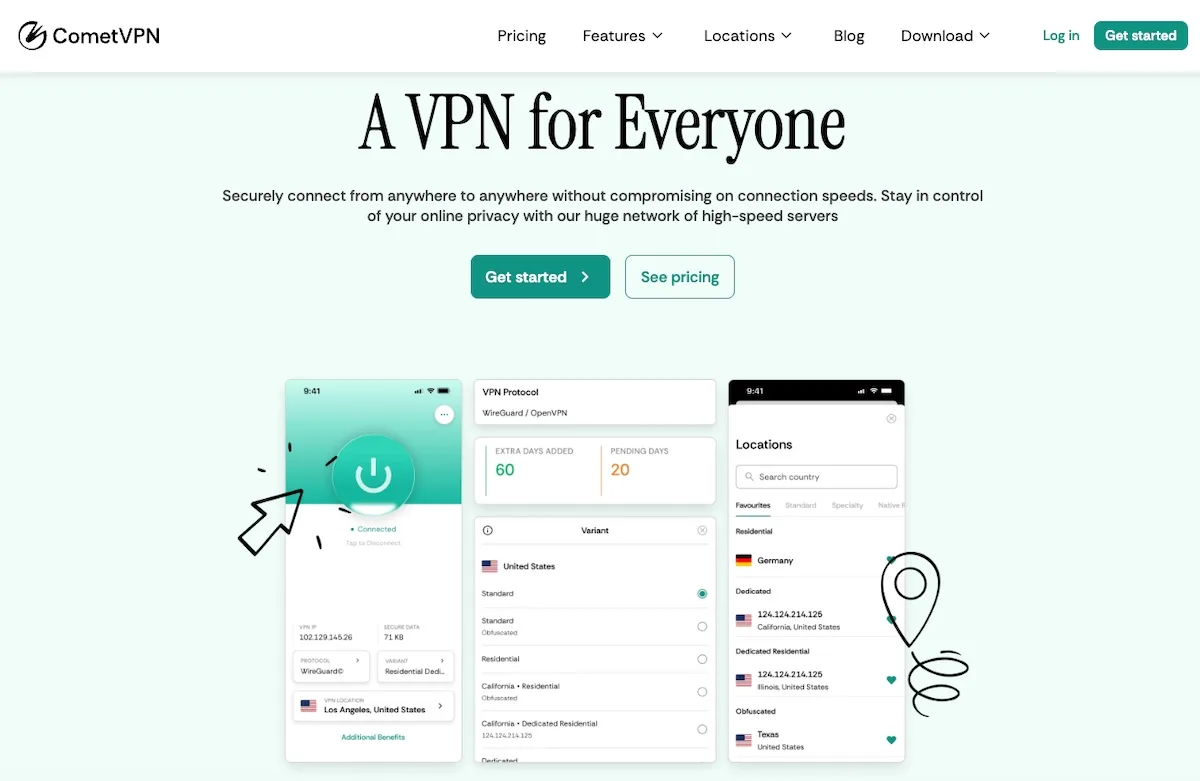
- Pricing: CometVPN starts at $1.89/mo on the two-year plan with a 30-day money-back guarantee. The Dedicated Residential IP add-on is available on top of the base plan.
Twitch's geo-blocks, ban evasion detection, and DDoS targeting of streamers all converge on one weak spot: a flagged IP. Most VPN exit nodes sit in datacenter ranges Twitch's anti-fraud system already knows, so signing in over a free or cheap VPN often triggers a chat-only restriction, a viewing block, or a fresh device-verification flow. CometVPN's Dedicated Residential IP plan running over the WireGuard protocol gives you a fixed real-ISP IP that Twitch treats like a normal home connection — ideal for unblocking the platform from a restricted region, recovering account access after travel, or hiding your real IP from chatters and raids if you stream.
For Twitch in 2026, CometVPN's most relevant features are the WireGuard protocol (lowest-latency tunnel for live viewing without buffering), the obfuscated servers (which prevent ISPs and Twitch's edge from classifying the traffic as VPN), the kill switch (which prevents your real IP from leaking mid-stream — the failure mode every streamer fears), and the AES-256 encryption with a verified no-logs policy. The 50+ country server list covers all the major Twitch regions, and the multi-device support (up to 5) lets you run it on the streaming PC, mobile chat moderation tablet, and a viewing device at once.
The trade-off vs. a dedicated proxy is per-app routing — CometVPN tunnels every byte through the VPN rather than letting you mix tunneled and direct traffic. For unblocking and watching Twitch that's a feature; for power users juggling multiple Twitch accounts in parallel browser sessions, residential proxies from MarsProxies or IPRoyal are still the right tool. For everyone else — a single account, a single stream, low latency, and ban-resistant access — CometVPN is the simplest path.
✓ Features
- Dedicated Residential IP plan with WireGuard protocol
- Servers in 50+ countries — bypass regional Twitch blocks
- Obfuscated servers — VPN traffic looks like normal browsing
- Kill switch — protects streamers from IP leaks
- AES-256 encryption with verified no-logs policy
- Multi-device support (up to 5 devices)
- Based in Panama — outside 14 Eyes
- 30-day money-back guarantee
✗ Negatives
- No per-app routing — VPN tunnels all traffic
- Dedicated Residential IP add-on layered on top of the base plan

- Pricing: Bright Data pay-as-you-go residential proxies plan costs $15/GB. Advanced yearly subscriptions apply a discount and lower the cost to $10.05/GB for residential proxies and $28/GB for mobile.
Bright Data brings over 72 million IPs to the table. It's a perfect choice if you require a dozen or more unique IPs for your gaming sessions. Some IPs work better than others, but with the amount on offer, you will easily find the ones that work. They also offer 600,000 proxies directly from ISPs for better uptime and connection speed.
It performs well unblocking Twitch if your original IP address gets banned for whatever reason. Moreover, their proxies are fast enough to collect live stream data from Twitch. With a 99.9% success rate and unlimited concurrent requests, it's one of the best Twitch proxy providers.
✓ Features
- 72+ million IP addresses
- Pay-as-you-go payment plans
- Great customization
- Sufficient proxy variety
- Unlimited concurrent requests
- Country and city-level targeting
- Professional customer support
✗ Negatives
- Above average price
- Complicated setup process

- Pricing: Businesses can order Oxylabs services for $10/GB for 60 monthly gigabytes. Enterprises that can afford $5,000/mo can discuss a custom price per gigabyte used.
Oxylabs is a well-known player in the proxy industry. This proxy service provider focuses on advanced proxy use cases, such as brand protection and SEO tasks. Its network is built for large-scale projects so that individual Twitch users might look for a more user-friendly option. However, if you're using Twitch as a professional streamer with thousands of followers, Oxylabs has features that will come in handy.
They offer unlimited concurrent sessions and do not have a limit on subnets. There's a country, state, and city-level targeting, which is perfect for accessing gaming servers in a particular location. Furthermore, they offer mobile, ISP, SOCKS5 proxies, and more.
They outline that all proxy servers come from verified suppliers that can meet their high demands. Overall, Oxylabs is a primary choice for people who use Twitch as their main source of income.
✓ Features
- SEO task optimization
- SOCKS5 protocol support
- Large IP address pool
- Unlimited concurrent sessions
- Advanced residential proxy features
- Web browser extensions
- Dedicated account managers
✗ Negatives
- Above-average prices
- Steep learning curve
- Lack of features on non-business plans

- Pricing: The Starter plan for residential proxies costs $99/month. However, their most popular choice is Pro Residential, which goes for $300/month and offers three whitelisted IPs and 400 ports.
Right now, SOAX offers more than 8,5 million proxies. However, this number sounds better because all of them are residential proxies. Residential proxies are excellent for gaming because they bypass geo-blocks and grant you access to more video games and their servers.
SOAX provides dual authentication and whitelisted IPs. You can select the authorization type on the dashboard and choose which country or ISP you target. You can use the vast SOAX 4G mobile proxies. Unlike datacenter, 4G mobile proxies are nearly undetectable, lowering the chances of getting banned for using a proxy to nearly zero.
✓ Features
- Lots of mobile IPs
- Well written guides
- City and ISP-level targeting
- IP whitelisting
- Dual authentication
- SOCKS5 and HTTP(S) protocol support
✗ Negatives
- Expensive services
- No browser extensions
- Lack of customer support for the Starter plan
- Pricing: Five ports residential proxies cost $50/month, going up to $90/month for 10 and $160/month for 20 proxies.
Storm Proxies is a small proxy service provider that does not mislead users with false advertising. It does not offer dozens of additional features but provides simple solutions for simple problems. So if you got your IP banned on Twitch and want to get a new one to continue using it quickly - Storm Proxies are the way to go.
They offer rotating residential and private dedicated datacenter proxies or a mix of both. The dashboard is exceptionally easy to use, although its design will leave you wanting more. Lastly, they offer unlimited bandwidth, so long streaming sessions should not be a problem. Overall, choose this provider if their proxies solve a particular issue because they are efficient and affordable.
✓ Features
- Very moderately priced
- Straightforward to use
- Simplistic dashboard
- IP address rotation
- Dedicated IPs
✗ Negatives
- No SOCKS protocol support
- Very limited geo-targeting
- Complicated payment process
- Pricing: Proxyrack offers affordable options starting from $49.95/month for 10GB, going up to $199.95/month for 50GB, and $1249.95/month for 500GB with money-back guarantees.
Proxyrack made this list because it offers high-speed services with unlimited bandwidth, exactly what gamers need. But where they truly shine is the diversity of affordable payment plans. You can choose the unmetered residential plan or a private residential option to access a specific IP pool.
You can order USA datacenter proxies and mix them with residential IP addresses when necessary. However, their city or ISP-level targeting is restricted to the US only. On the bright side, its datacenter proxies support the SOCKS5 protocol, so this service is best for users that require operations in the US.
✓ Features
- Various payment plans
- Accepts payments in crypto
- SOCKS5 protocol for datacenter proxies
- Offers unlimited bandwidth
- A nice price/value ratio
- IP address rotation
✗ Negatives
- Limited service provider information
- City and ISP-level targeting restricted to the US

- Pricing: TrustedProxies offer Virtual-Dedicated servers for $3.9/proxy per month. Dedicated servers reserved for one user cost $9.9/proxy per month.
Not everyone uses Twitch for gaming. It's a massive platform that offers invaluable insights into the gaming industry. If you're looking for a proxy service to scrape Twitch data, consider using TrustedProxies.
The company has been around since 2010 providing businesses with data-scraping solutions. Their proxies are highly anonymized, lowering the risks of getting banned. It has 24/7 support that you can reach via email, phone, or ticket. Lastly, their high-speed proxy network is scalable to fulfill large-scale operations.
✓ Features
- Strong SEO focus
- Over a decade of experience
- Comfortable customer support
- Great scalability
✗ Negatives
- Lack of servers in specific countries
- Unsuited for individual needs

Proxy-Seller
Competitive pricing with extensive IP coverage
- Pricing: Flexible pricing based on quantity, duration, and location selection
Proxy-Seller offers a solid solution for businesses seeking flexible proxy services with excellent geographic coverage. Their datacenter and mobile proxy offerings are complemented by the rare availability of IPv6 proxies in multiple countries.
The provider's strength lies in its flexible rental system and reliable 24/7 support team. Whether you need short-term proxy access or longer commitments, Proxy-Seller adapts to your requirements with transparent pricing and no minimum purchase requirements.
✓ Features
- Support for HTTP(S) and SOCKS5 protocols
- Username/password and IP authentication methods
- Flexible rental durations (week, bi-weekly, monthly, etc.)
- No minimum proxy purchase requirement
- 24/7 live chat and ticket support
- IPv6 proxies in 8 countries
✗ Negatives
- Could use more mobile proxy locations
- Dashboard could be more modern
Why SOCKS5 is the Best Protocol for Twitch Proxies
If you've shopped for proxies before, you've seen two protocols quoted: HTTP(S) and SOCKS5. For Twitch, SOCKS5 is the protocol you want — and here's why.
Twitch's video player uses both TCP (for HLS chunks and chat) and UDP (for low-latency streaming and WebRTC features). HTTP proxies only forward TCP. SOCKS5 forwards everything — TCP, UDP, IPv4, IPv6, DNS — at the OS level, with less protocol-specific parsing overhead. The result: lower latency, fewer dropped frames, and a stream that doesn't buffer mid-fight.
Two practical implications:
- For viewers: a SOCKS5 residential proxy keeps live latency under 2 seconds on a healthy connection. An HTTP proxy on the same IP can add 200-500ms of overhead and miss WebRTC features entirely.
- For streamers using OBS: OBS doesn't have a built-in proxy field, so you'll need Proxifier on Windows or
proxychainson Linux. Both work natively with SOCKS5 and let you route onlyobs64.exethrough the tunnel while leaving Discord, your browser, and your game traffic on the direct connection. A SOCKS5 proxy with at least 8-10 Mbps guaranteed upload is the minimum for a stable 1080p60 stream.
Among our top picks, IPRoyal, MarsProxies, Bright Data, Oxylabs, and SOAX all support SOCKS5 on their residential plans. Avoid providers that only offer HTTP — they were built for scraping, not streaming.
Can You Use a Twitch Proxy for View Botting?
This is the elephant in the room, so let's be direct: yes, view-botting services exist and most of them rely on proxies. But Twitch's Community Guidelines explicitly forbid artificially inflating viewer or follower counts, and the platform's 2025 enforcement crackdown reportedly flagged 40,000-50,000 channels per quarter. We do not endorse view botting, and engaging in it puts your channel, your monetization, and your Partner/Affiliate status at risk of permanent termination.
That said, the technical reality has shifted: datacenter proxies — what every cheap viewer-bot service used in 2023-2024 — are now the fast lane to detection. Twitch's machine-learning models train specifically on datacenter ASN ranges, and any account using them at scale gets caught within hours. If users insist on running automation against Twitch (against the platform's TOS), residential proxies from providers like MarsProxies, IPRoyal, or SOAX are the only kind that come from real ISP IP pools and bypass the obvious filters.
Our advice: follow Twitch's TOS. Build a real audience through ads, raids, networking, and consistent streaming. Use proxies for the legitimate cases — multi-account brand management, geo-unblocking, scraping public data, protecting streamers from DDoS — and your channel will outlast every botted-up competitor that gets banned in the next sweep.
What Are the Best Locations for Twitch Proxies?
Choosing the best twitch proxy location depends on your use case:
- To unblock Twitch from a restricted country (Russia, China, Vietnam, South Korea, Slovakia): pick the closest available country — usually Germany, the Netherlands, or Japan — to keep latency low. Avoid US-only servers if you're in Asia; the round-trip will tank your stream quality.
- To stream via OBS: match the proxy region to your real region. A streamer in the UK should use a UK or Netherlands proxy, not a US one — Twitch ingest endpoints are regional, and a transatlantic hop adds 150ms+ to your stream.
- To scrape Twitch data: match the location to the data you want. US proxies for US-channel scraping, EU proxies for European categories, and so on. Otherwise the platform's geo-filtered recommendations will skew your dataset.
- For multi-account viewing or moderation: rotate residential IPs across multiple US/EU residential pools — anything else looks like a botnet to Twitch's ML.
All providers in our top 10 cover the US, UK, Germany, France, the Netherlands, and Japan. The premium tier (Bright Data, Oxylabs) extends to 100+ countries; the value tier (IPRoyal, MarsProxies) covers 195+ at a fraction of the price.
How to Know if a Provider's Proxies Work With Twitch
Three reliable signals tell you a provider will actually work on Twitch:
- Documented Twitch compatibility. Top providers publish use-case pages or blog posts confirming Twitch works with their residential and SOCKS5 plans. IPRoyal, MarsProxies, and Bright Data all do.
- Independent reviews. Look for hands-on testing on TrustPilot, Reddit's r/streaming and r/proxies, and review sites that disclose their methodology. Ignore reviews that only quote the provider's own marketing.
- A working trial or money-back guarantee. Every provider in our top 10 offers either a free trial, a paid trial, or a 30-day refund window. If a provider doesn't, walk away — Twitch IP detection is too edge-case-heavy to commit without testing your specific use case first.
If you're cross-shopping for related gaming use cases, see our guides for Discord proxies, gaming proxies, and Warzone proxies — many of the same providers excel across all four use cases.
Conclusion
A reliable twitch proxy is the difference between a smooth viewing or streaming session and a string of CAPTCHA walls, IP bans, and dropped frames. In 2026, the platform's anti-fraud stack has matured — Twitch leans on device fingerprinting, phone verification, and ML-based Suspicious User Controls more than ever — so your choice of proxy matters more, not less.
For most users, residential proxies from IPRoyal or MarsProxies hit the sweet spot of cost, speed, and detection-resistance. Streamers who need a single, simple, kill-switch-protected exit point should look at CometVPN's Dedicated Residential IP plan with WireGuard. Whichever tier fits your budget, all of our top 10 picks support SOCKS5, offer Twitch-compatible regions, and have refund policies that let you test before committing.